
Pre-select Creators
Learn how to set aside the profiles you're interested in so you can move faster toward your final selection.
🧠 What does pre-selecting a creator mean?
Pre-selection is a tool that helps you organize your selection process by separating the creators you're most interested in from the general list of applications.
⚠️ Important:
Pre-selection doesn't notify the creator. It's an internal action for your brand and doesn't involve any commitment to or communication with the applicant.
Once pre-selected, the creator moves to the Pre-selection ("Preselección") stage of your campaign pipeline.
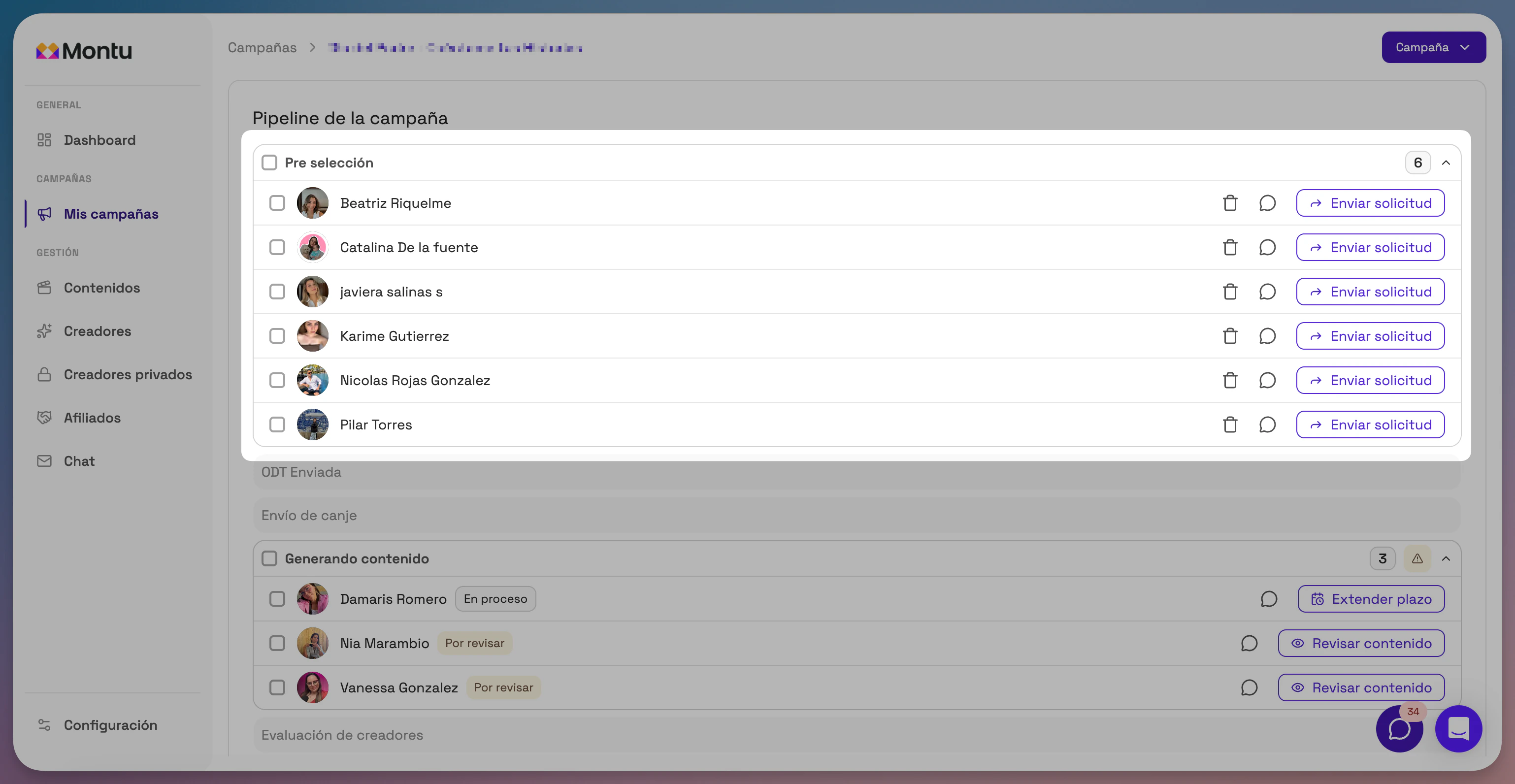
📥 Where do you pre-select creators?
You can pre-select creators from two places:
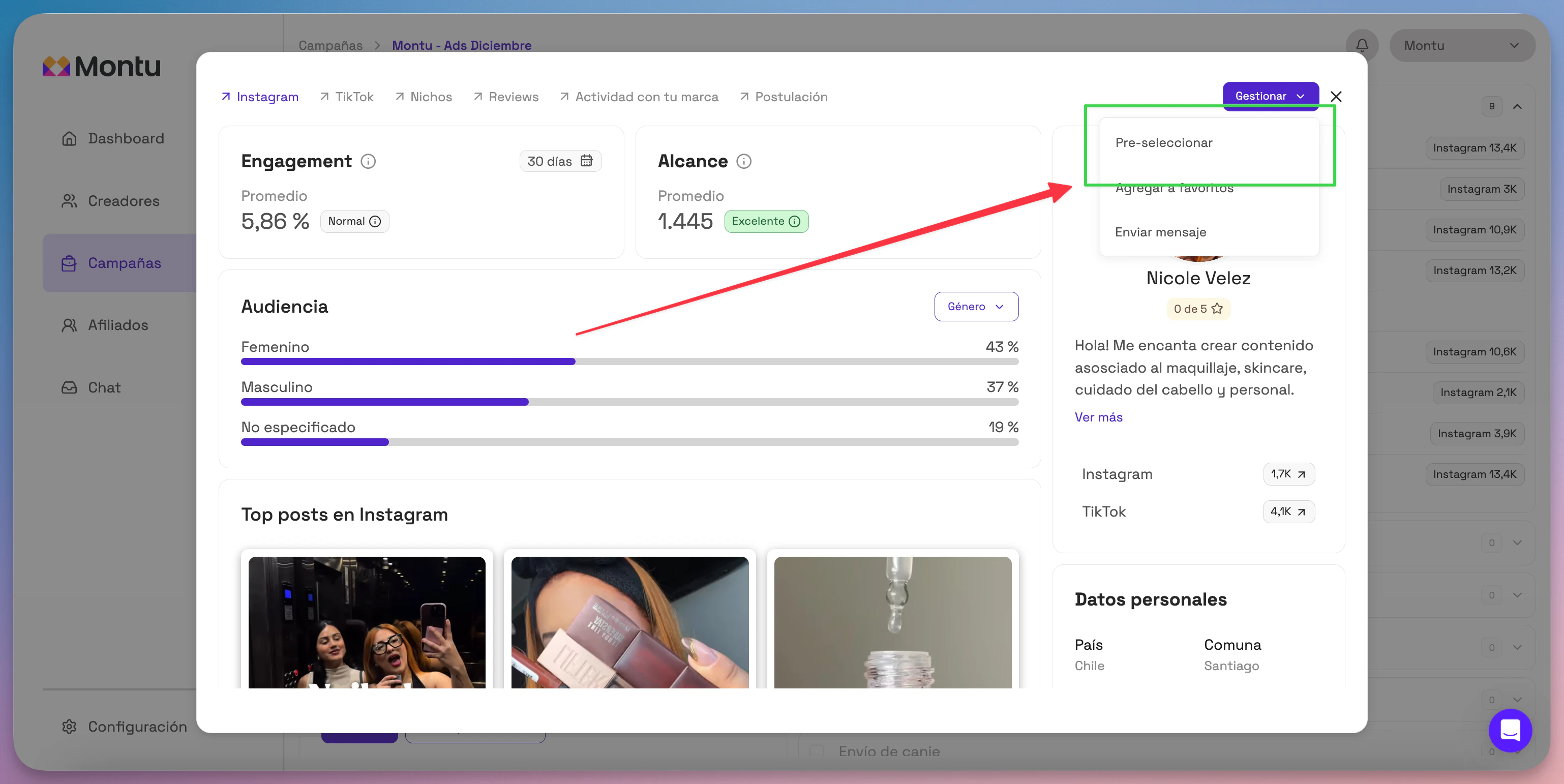
✅ Option 1: From the creator's profile
- Click the creator's name in the applications table to open their profile.
- Press the Manage ("Gestionar") button.
- Select Pre-select ("Pre-seleccionar").
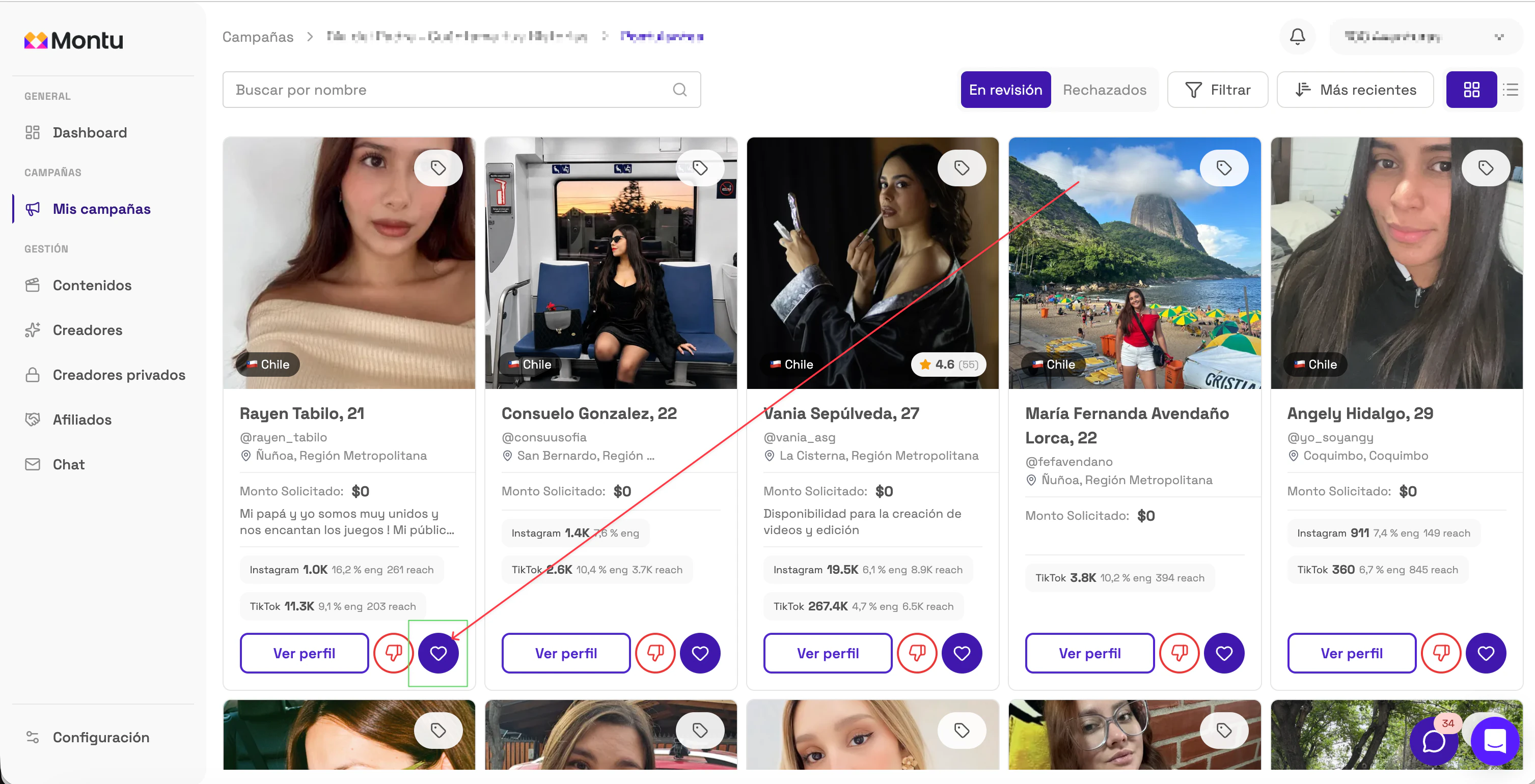
✅ Option 2: From the applications view
On each creator's card, click the blue heart to add them to pre-selection. The pre-selected creator will disappear from the applications view.
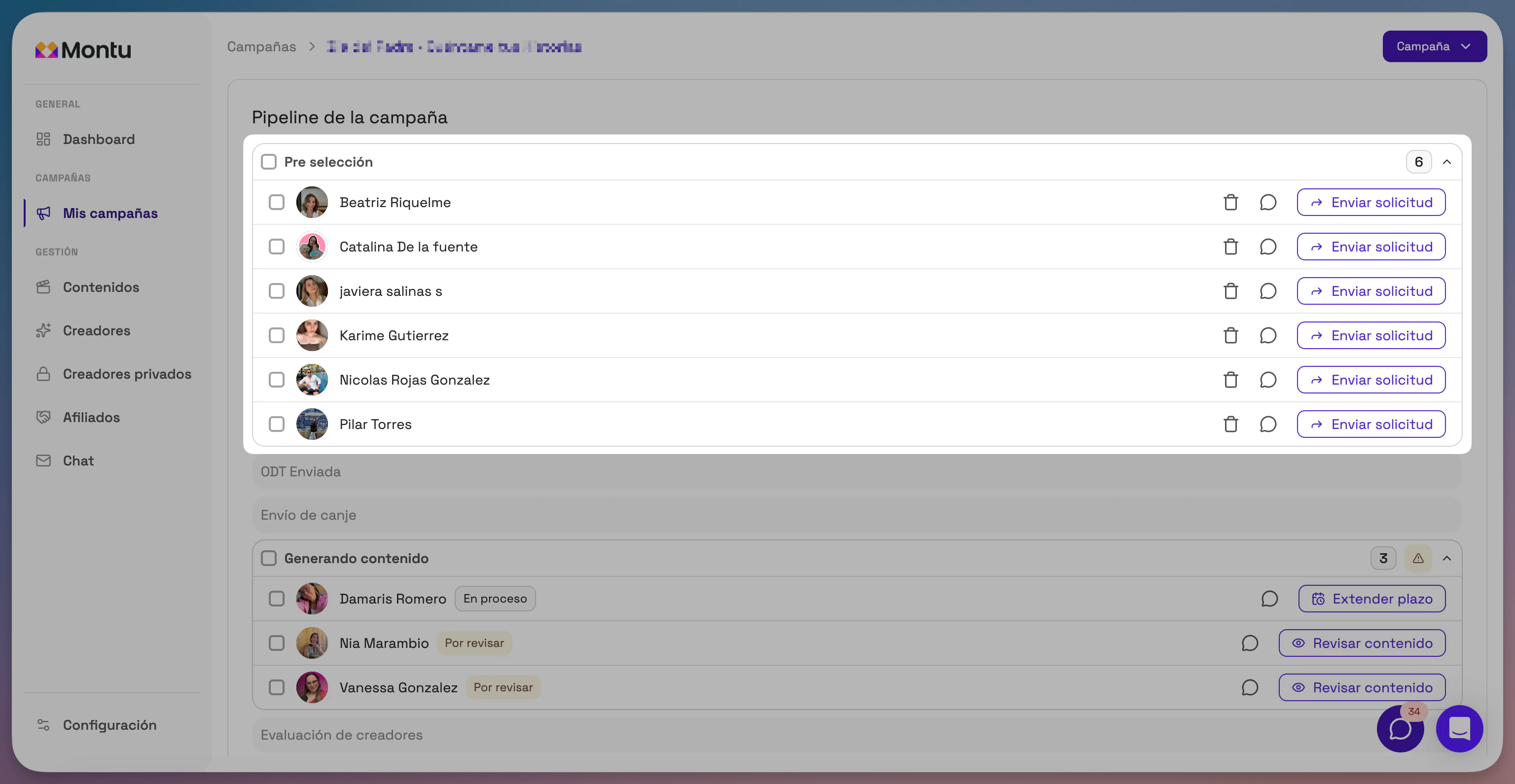
🔍 What happens to pre-selected creators?
- They move to the "Pre-selection" step of the pipeline.
- They no longer appear in the general list of applications.
- You can send them a Work Order later, directly from the "Pre-selection" section.
✅ Using pre-selection helps you keep your campaign organized and move faster toward the collaborations you really care about.