
🧭 Step 0: Start from the dashboard
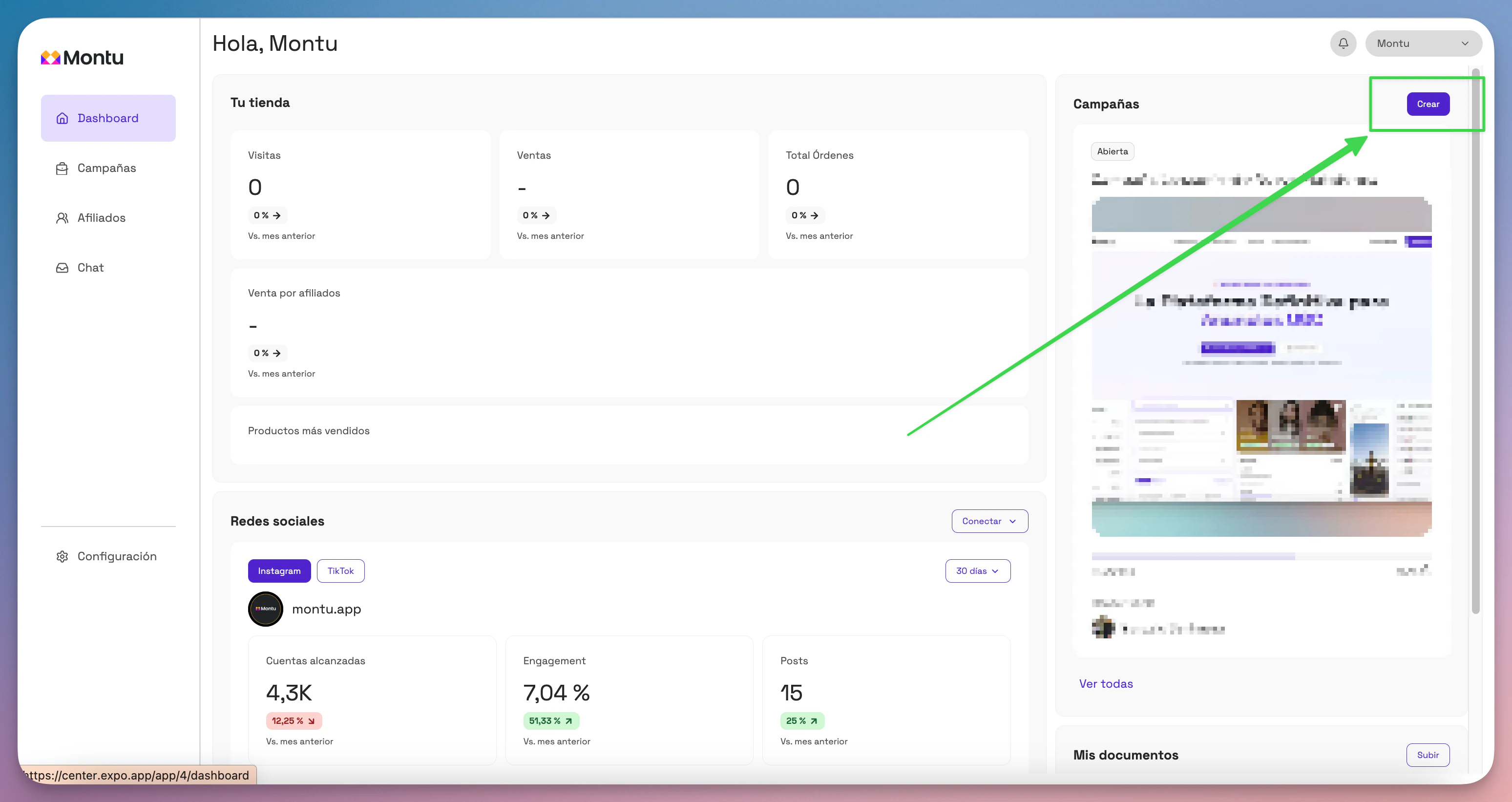
From the Main Dashboard ("Dashboard Principal"), click the Create ("Crear") button to start a new campaign.
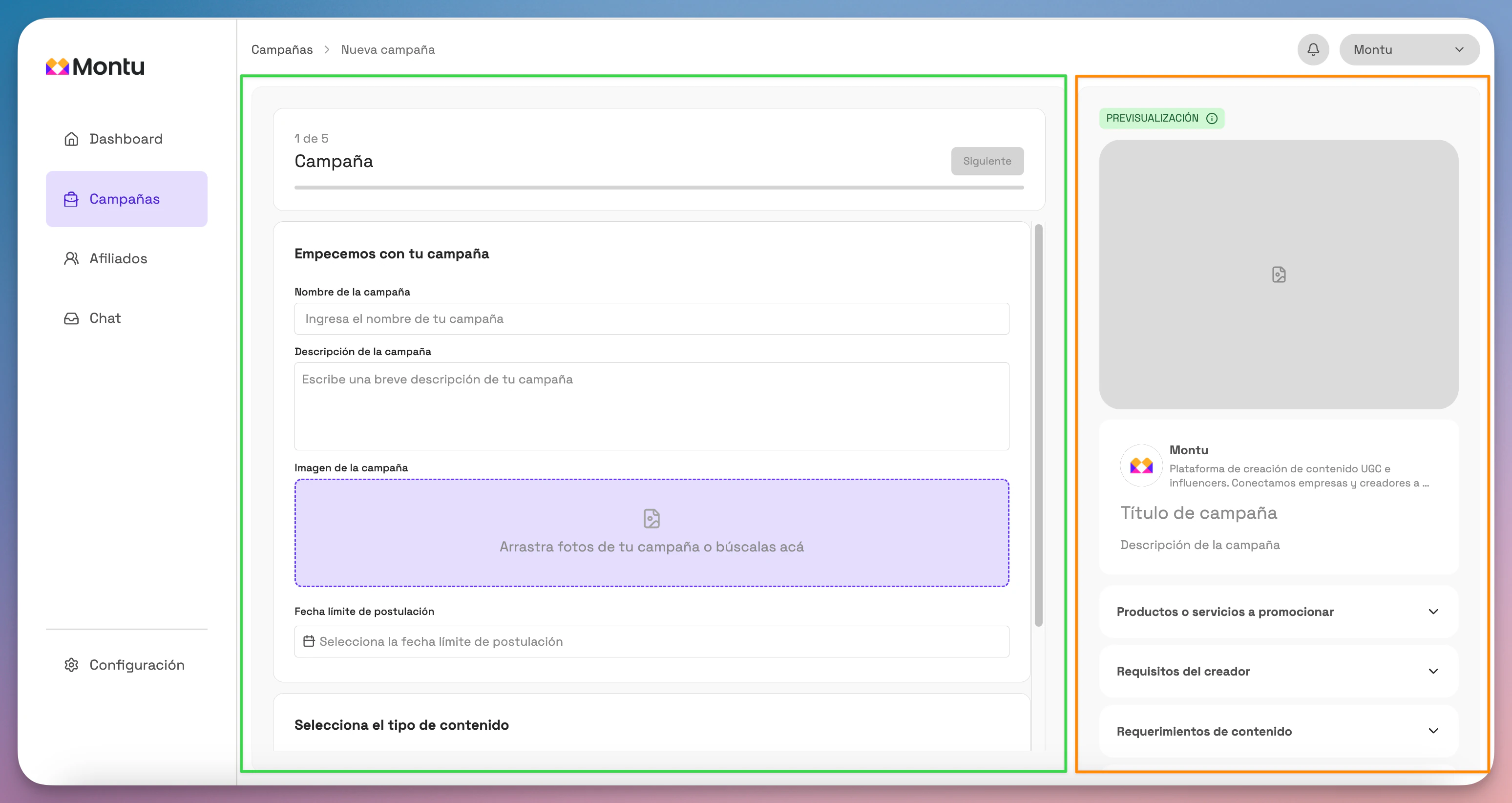
The form will open, split into two sections:
- Center panel (green rectangle): where you enter information.
- Right side panel (orange rectangle): a preview of how creators will see the campaign in the mobile app.
🧩 Step 1 of 5: General information
Fill in the following fields:
- Campaign name: Use a clear, functional title. E.g.: "MercadoLibre Clips – Facial Care Line"
- Campaign description: Explain what you're looking for. E.g.: "We're looking for simple clips, filmed at home, that show how to use our new facial cleanser for oily skin."
- Reference images: Upload images of the product or examples of the type of content you expect (demo, unboxing).
- Application deadline: The last day creators can apply.
👉 Under campaign type, select Clips.
Click Next ("Siguiente").
🎯 Step 2 of 5: Campaign goal
In Clips campaigns, you can only promote specific products. That's because clips are designed to be shown on product pages (for example, on MercadoLibre).
If you've already connected your store, you can import products from your catalog.
If not, click Create product ("Crear producto") and enter:
- Name
- Price
- Description
- Image
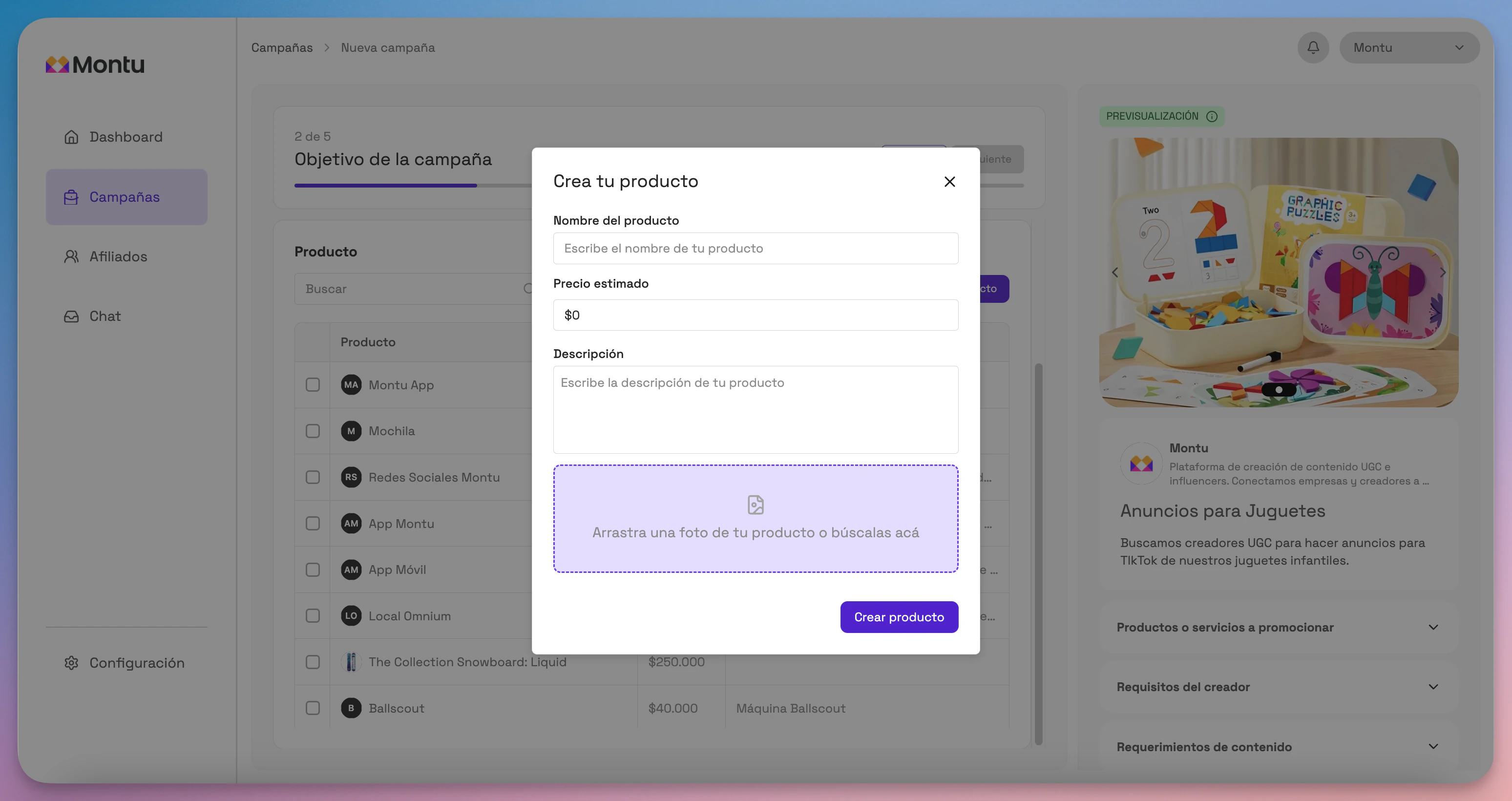
You can edit products by clicking their name.
Select the product or products to promote and click Next.
🎥 Step 3 of 5: Content
This is where you define the clips that creators must produce.
Press Add ("Añadir") to enter a requirement. This creates an empty clip, ready to edit.
If you need help writing the script, click Generate with AI ("Generar con IA").
Montu's advanced script generator will open.
How does the generator work?
- Select the product to promote.
- Set the clip's length: 30, 45 or 60 seconds.
- Enter the suggested location (e.g. bathroom, kitchen, outdoors).
- Set the delivery date.
🔁 Awareness level (already set for you)
🧠 In Clips campaigns, the customer awareness level is preset to "product aware", because "this content appears directly on a product page: the shopper already knows what they're looking for and just needs a quick demonstration to help them make the final decision".
Select the market sophistication level (as in UGC Ads campaigns):
📈 What is the market sophistication level?
"This concept comes from Breakthrough Advertising, by Eugene Schwartz. It represents how much the market has been exposed to similar promises. The more sophisticated the market, the harder it is to stand out".
- First to market: The market has never seen this promise before. Be direct. Say exactly what your product does. "Stops hair loss."
- Second to market: Enlarge the promise. Make it faster, easier, stronger. "Get your hair back in just 7 days."
- Competitive, not saturated: Change the angle. Introduce a unique mechanism. "Activates the Wnt10b protein with our patented BioStem formula."
- Saturated market: Enlarge the mechanism. Make it faster, easier, unique. "The only lotion with BioStem nanotechnology that regenerates the follicle in 3 days."
- Competitive market: Sell the experience, the story, the buyer's identity. "For men with a strong mane".
Add any additional instructions and click Generate script ("Generar script").
📋 Campaign diagnosis
When the script is generated, you'll get a diagnosis split into 3 parts:
- Strategic diagnosis: Sophistication level, market forces, positioning and emotional desire.
- Tactical choice: Recommended clip type and ideal hook pattern.
- Final validation: Confirmation that it complies with Mercado Libre Clips policies.
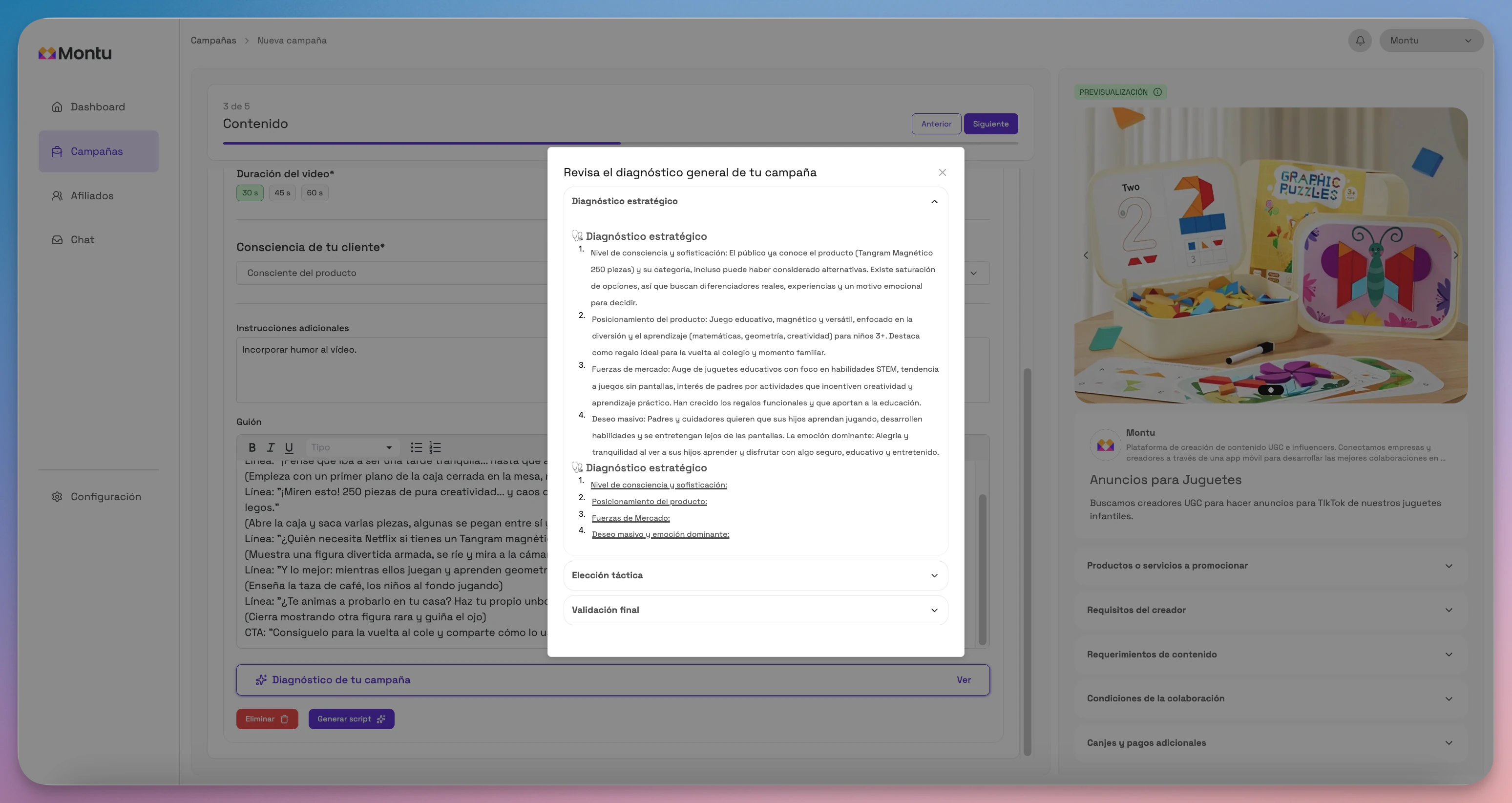
You can:
- Edit the script manually
- Generate a new one
- Add new clips
- Delete the ones you don't need
Click Next when you're done.
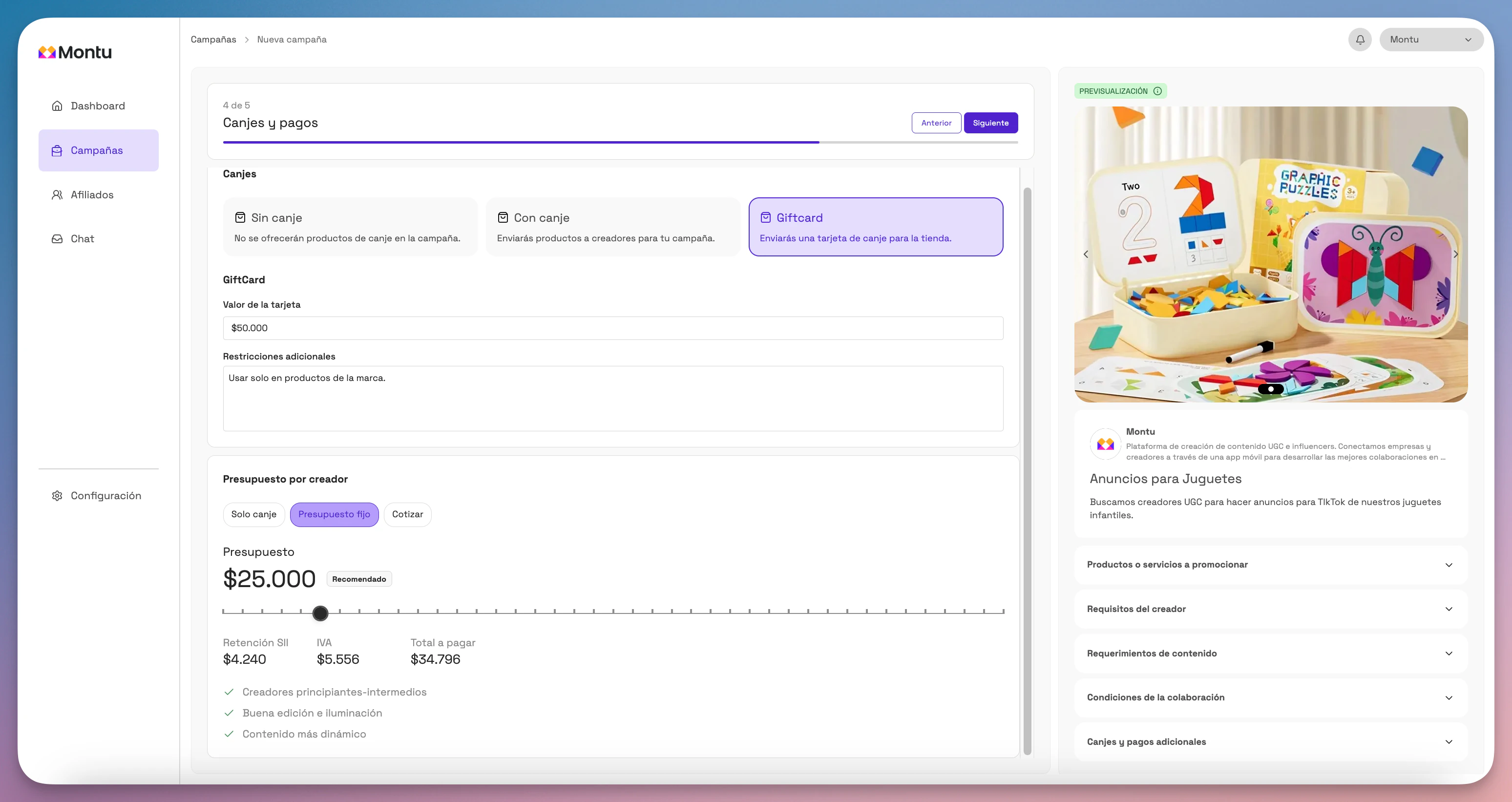
💸 Step 4 of 5: Barter and Payments
This is where you define how creators will be compensated:
Barter
- No barter: No product will be given.
- With barter: Select the product to ship from your catalog.
- Gift card: Enter the amount and conditions. Your brand is responsible for sending it.
Budget
- Barter only: There's no cash payment.
- Fixed budget: You pay a fixed amount per clip.
- Request a quote: Each creator sends a price proposal.
Click Next.
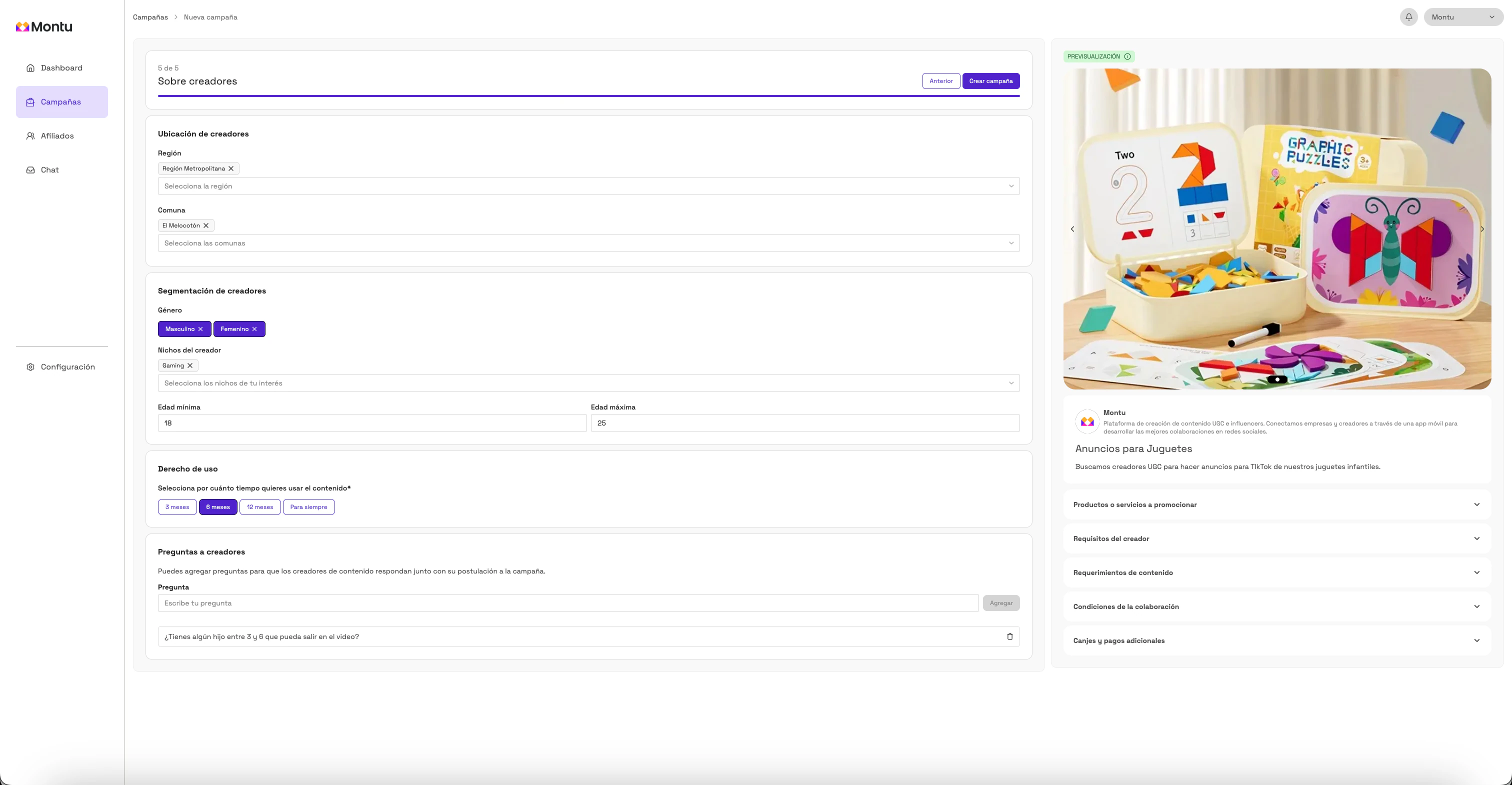
👥 Step 5 of 5: About creators
Define the ideal creator profile for your Clips campaign:
- Location: regions and districts.
- Minimum and maximum age
- Gender
- Niches of interest
Content usage rights
Define how long you'll be able to use the content:
- 3 months
- 6 months
- 12 months
- Forever
"The content usage rights apply exclusively to your own website and Mercado Libre Clips. The brand can't run the content directly as paid ads on Meta or TikTok".
Questions for creators
Add extra questions to filter better. E.g.: Can you film in a kitchen with good lighting?
Click Create campaign ("Crear campaña") and confirm in the pop-up.
✅ Done! Your Clips campaign will be active and visible in the Montu mobile app.
You'll soon start receiving applications from creators who want to film content for your products.