
How to create a UGC Ads campaign
Learn how to create a UGC campaign in Montu, from defining the goal and content to the budget and creator selection.
🧭 Step 0: Start from the dashboard
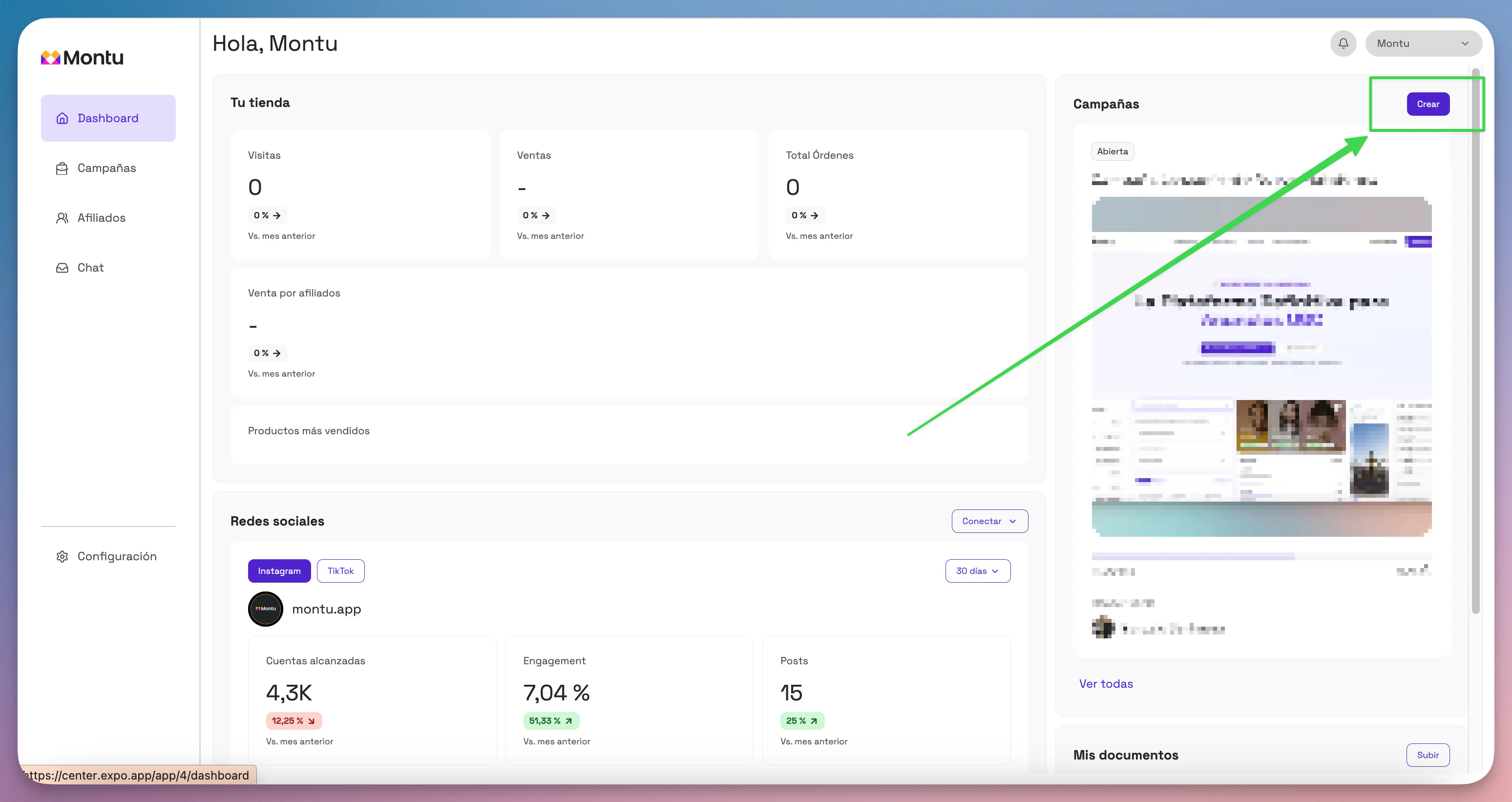
From the Main Dashboard ("Dashboard Principal"), click the Create ("Crear") button to start a new campaign.
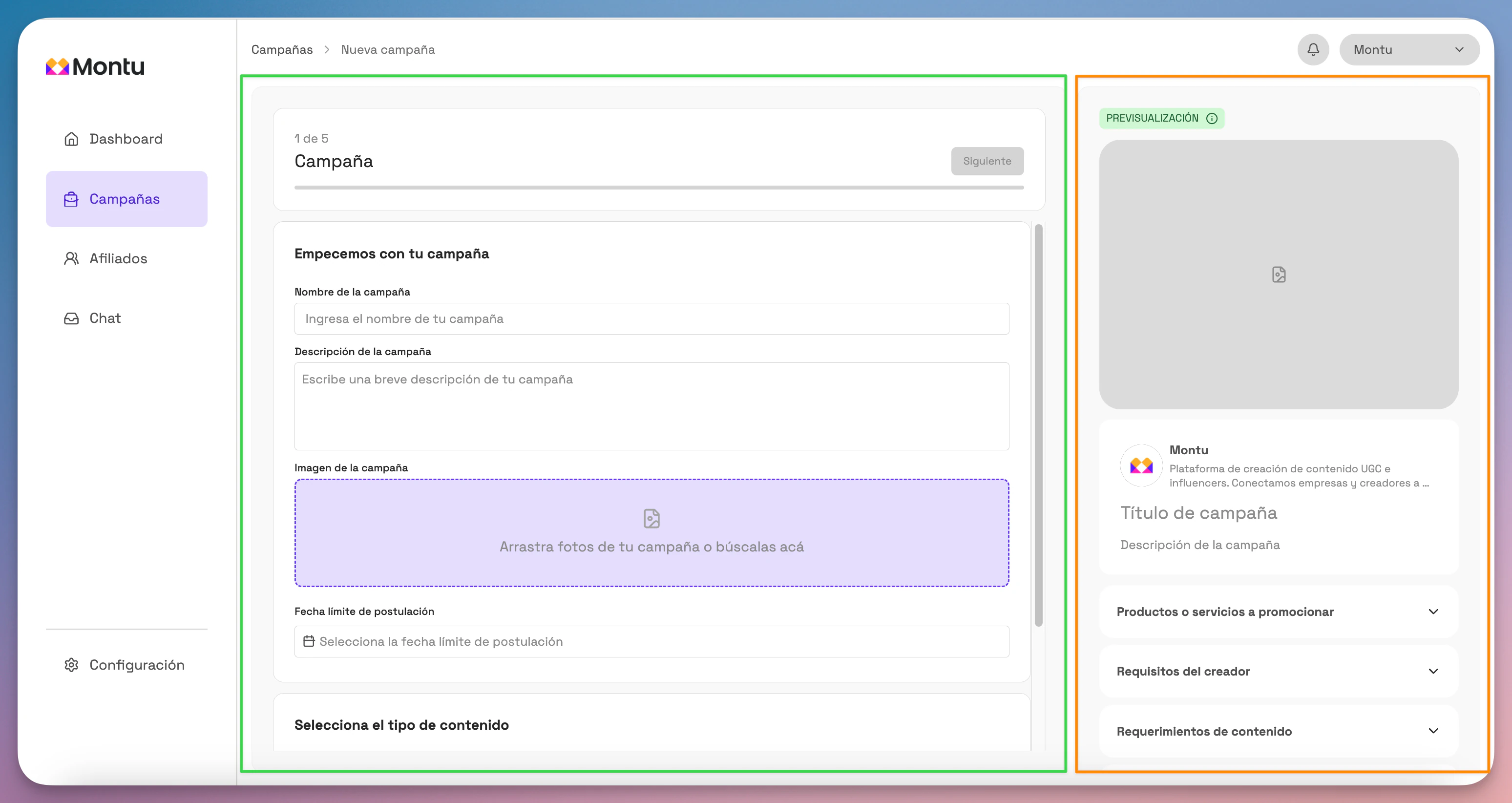
The form will open, split into two sections:
- Center panel (green rectangle): where you enter information.
- Right side panel (orange rectangle): a preview of how creators will see the campaign in the mobile app.
🧩 Step 1 of 5: General information
Fill in the following fields:
- Campaign name: Use a clear, functional title. E.g.: "Detox Shampoo Launch – UGC Ads"
- Campaign description: Explain what you're looking for. E.g.: "We want review-style videos to promote our new Detox line. Ideal if you already use our products or you're interested in natural hair care."
- Reference images: Upload images that represent the product, the visual mood or the content you expect. This helps align expectations.
- Application deadline: Enter how long the campaign will stay open for applications.
- Campaign type: Select UGC Ads.
When you're done, click Next ("Siguiente").
🎯 Step 2 of 5: Campaign goal
Define what you want to promote:
🛍 Product
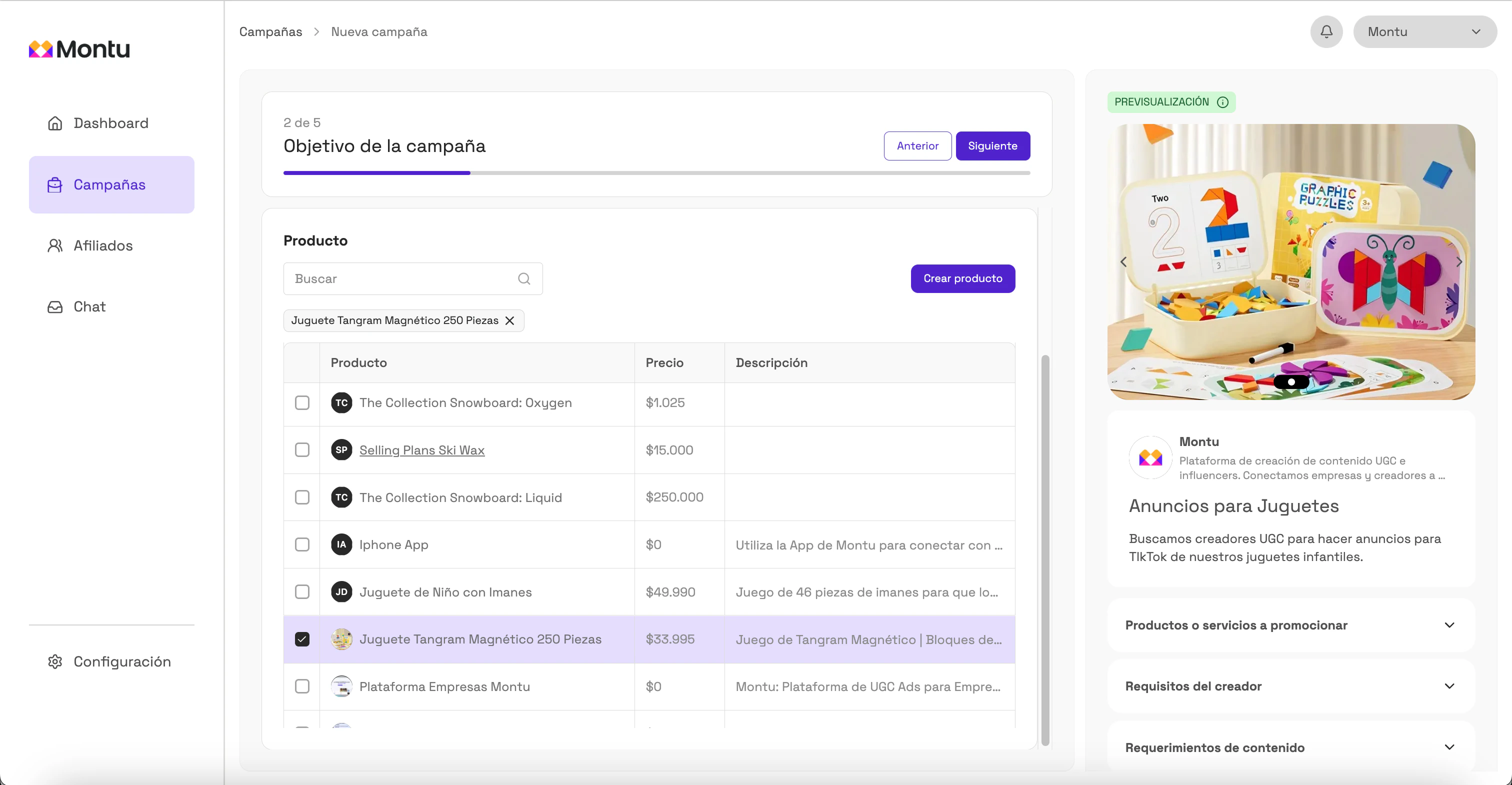
If you've already connected your store, you can import products from your catalog. If not, click Create product ("Crear producto") and enter:
- Name
- Price
- Description
- Image
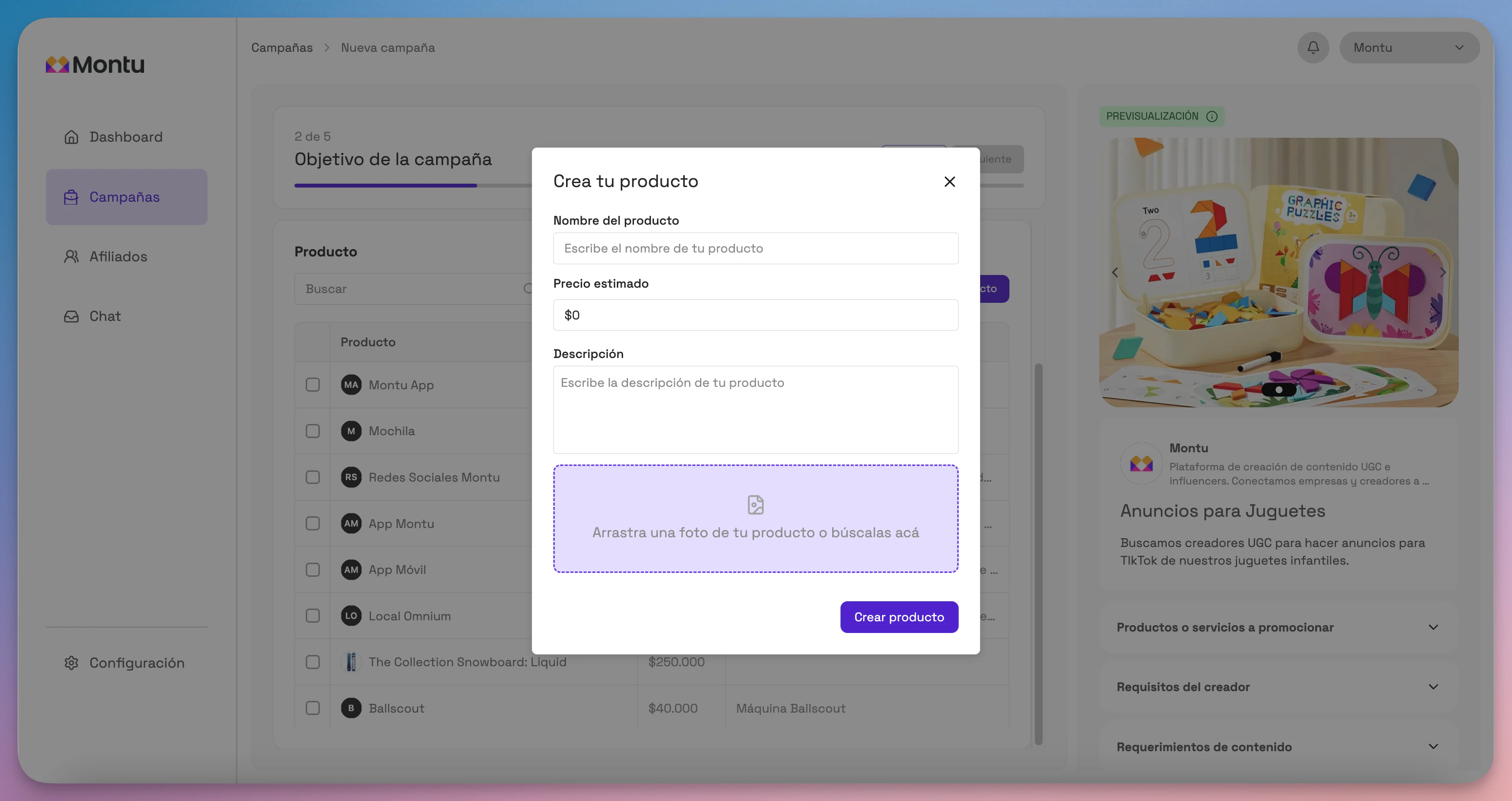
You can edit products by clicking their name.
Select the products to promote and click Next.
🧢 General brand
Select this option if the campaign is for general branding, without a focus on specific products.
📅 Event
Ideal for specific promotions, openings or activations.
You'll need to enter:
- Event date
- Location
- Description
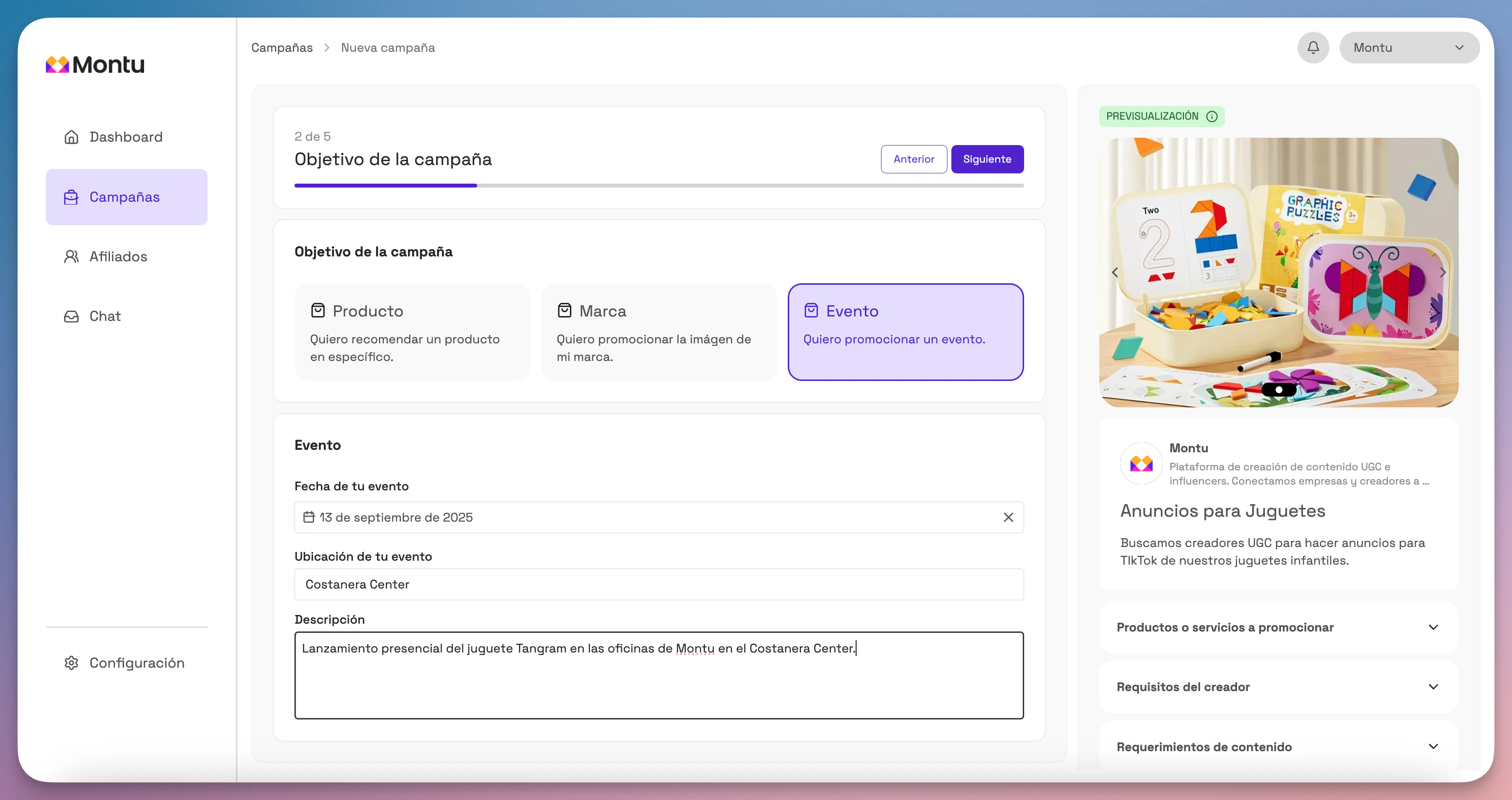
Click Next to continue.
🎥 Step 3 of 5: Content
This is where you define the deliverables that creators must send you.
- Press Add ("Añadir") to enter a requirement. You can choose from preset formats (review, demo, unboxing, etc.) or start from scratch with the None ("Ninguno") option.
- If you want help writing it, click Generate with AI ("Generar con IA").
Montu's advanced script generator will open.
How does the generator work?
- Select the product to promote.
- Set the video's length: 30, 45 or 60 seconds.
- Enter the creator's location (e.g. indoors, outdoors, kitchen).
- Set the estimated delivery date.
Then select the customer awareness level and the market sophistication level.
🧠 What is the customer awareness level?
This concept comes from Breakthrough Advertising, by Eugene Schwartz. It represents how much your customer knows about their problem, the solution and your product. According to Schwartz, there are 5 levels of awareness:
- Unaware: the consumer doesn't know they have a problem.
- Problem aware: they know they have a problem but don't know the solution.
- Solution aware: they know solutions exist but don't know your product.
- Product aware: they know your product but don't intend to buy it for now.
- Most aware: they know exactly what they want from your product; they probably just need one last push to buy.
📈 What is the market sophistication level?
Also from Breakthrough Advertising, this level represents how much the market has been exposed to similar promises. The more sophisticated the market, the harder it is to stand out.
- First to market: The market has never seen this promise before. Be direct. Say exactly what your product does. "Stops hair loss."
- Second to market: Enlarge the promise. Make it faster, easier, stronger. "Get your hair back in just 7 days."
- Competitive, not saturated: Change the angle. Introduce a unique mechanism. "Activates the Wnt10b protein with our patented BioStem formula."
- Saturated market: Enlarge the mechanism. Make it faster, easier, unique. "The only lotion with BioStem nanotechnology that regenerates the follicle in 3 days."
- Competitive market: Sell the experience, the story, the buyer's identity. "For men with a strong mane".
Once you've completed this section, you can add extra instructions and click Generate script ("Generar script").
The system will load:
📋 Campaign diagnosis
-
Strategic diagnosis: Summarizes the market context, the product's positioning and the emotional desire it triggers in the consumer.
-
Tactical choice: Suggests the best type of UGC content, the most persuasive hook pattern and why it was chosen.
-
Final validation: Checks that the script complies with Meta and TikTok Ads policies.
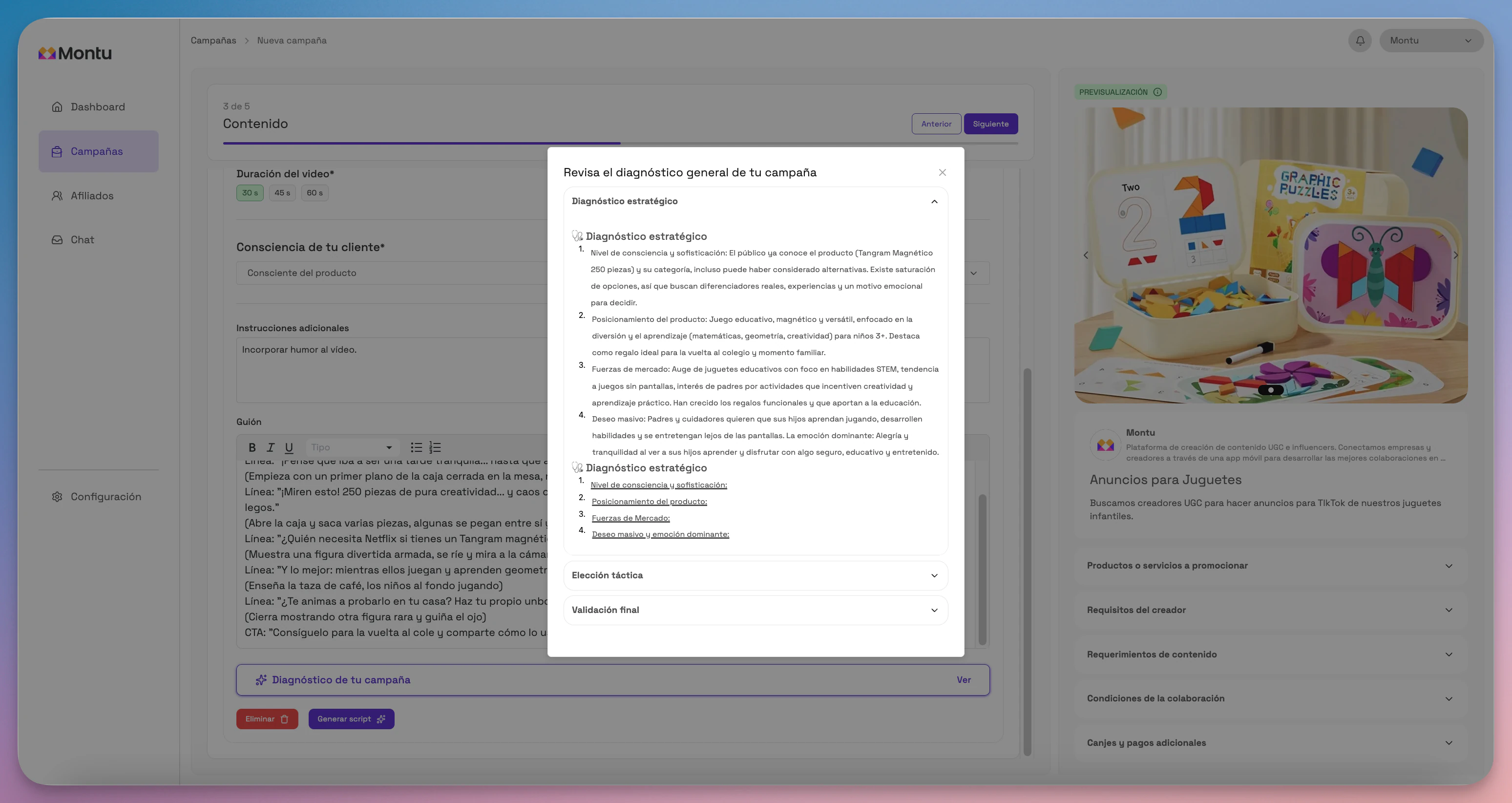
Once the script is generated, you can:
- Edit it manually.
- Regenerate it if you're not happy with it.
- Add more requirements with the Add button.
- Delete the ones you don't need with the Delete ("Eliminar") button.
Click Next when you're done.
💸 Step 4 of 5: Barter and Payments
In this step you define how the selected creator will be paid. You can choose barter, gift cards, cash payments or a combination of these.
Barter
- No barter: No product is given.
- With barter: Select which products you'll give.
- Gift card: Enter the amount and conditions. Your brand is responsible for sending it.
Budget
- Barter only: There's no additional payment.
- Fixed budget: You pay a fixed amount per piece of content.
- Request a quote: Each creator will send a price proposal.
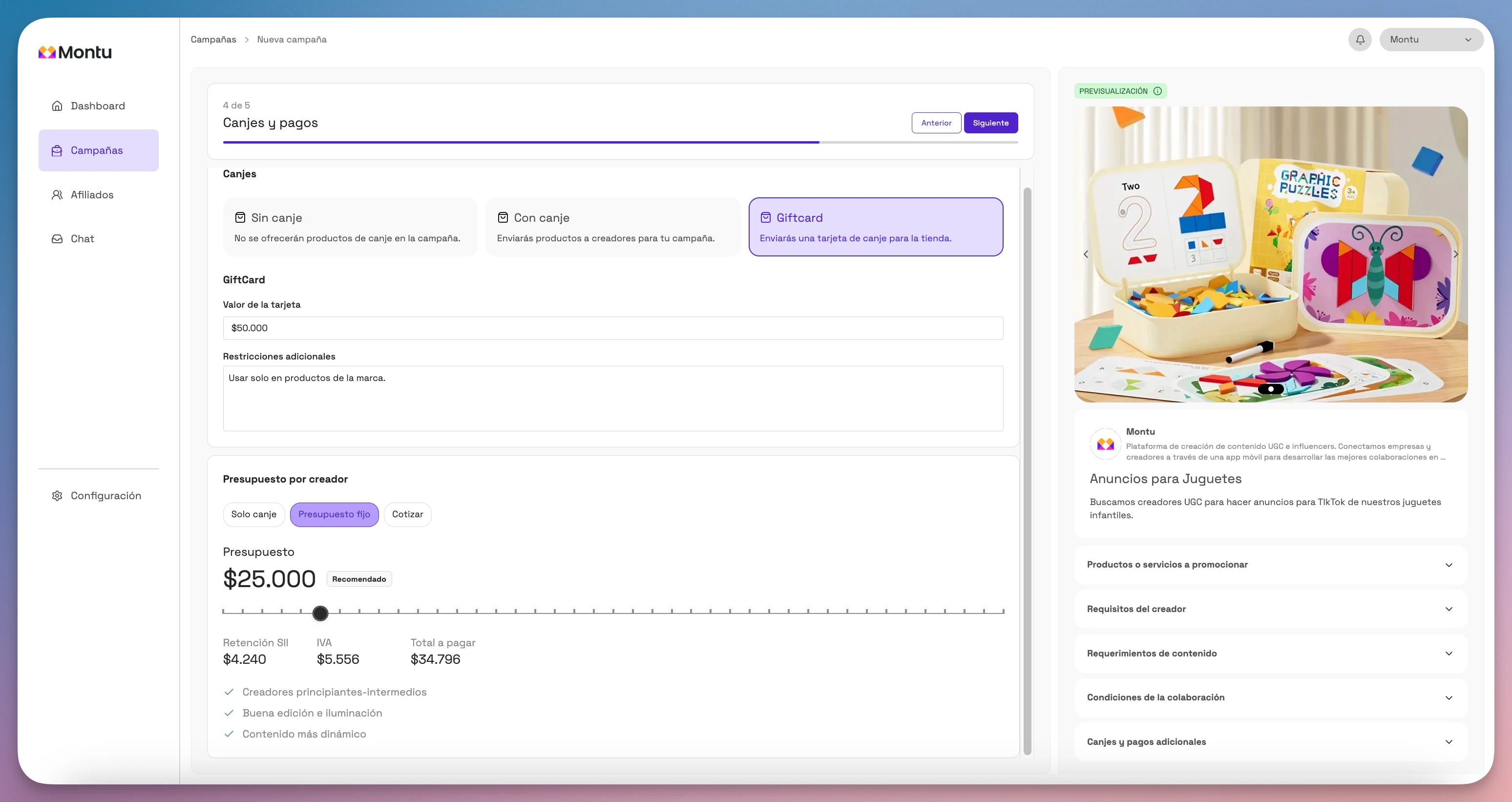
Click Next.
👥 Step 5 of 5: About creators
Define the ideal creator profile for your campaign:
- Location: Filter by regions and districts.
- Minimum and maximum age
- Gender
- Niches of interest (fitness, skincare, tech, etc.)
Usage rights
Define how long you'll be able to use the content:
- 3 months
- 6 months
- 12 months
- Forever
Questions for creators
Add specific questions to filter better (e.g. "Are you allergic to peanuts?").
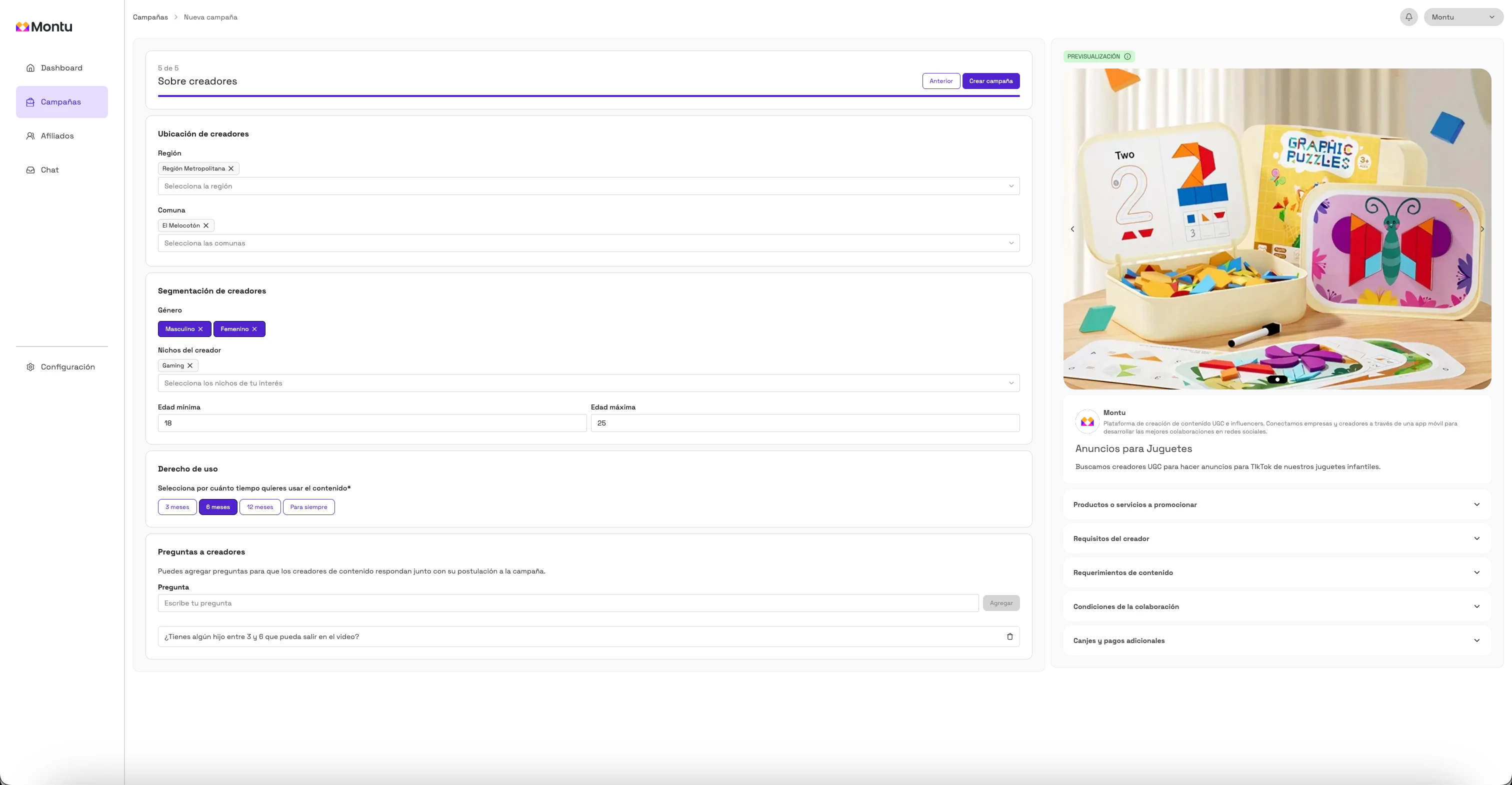
Click Create campaign ("Crear campaña") and then confirm in the pop-up.
✅ Done! Your campaign will be active and visible to creators in the Montu mobile app. You'll start receiving applications within minutes.