
Learn how to download your approved content in the best available quality so you can use it in your campaigns.
🧭 Steps to download a video
- From the Main Dashboard ("Dashboard Principal"), go to Campaigns ("Campañas") → Approved Content ("Contenidos Aprobados") → View All ("Ver Todos").
- Select the campaign that contains the video you want to download.
- In the list of approved videos, find the content you want to save.
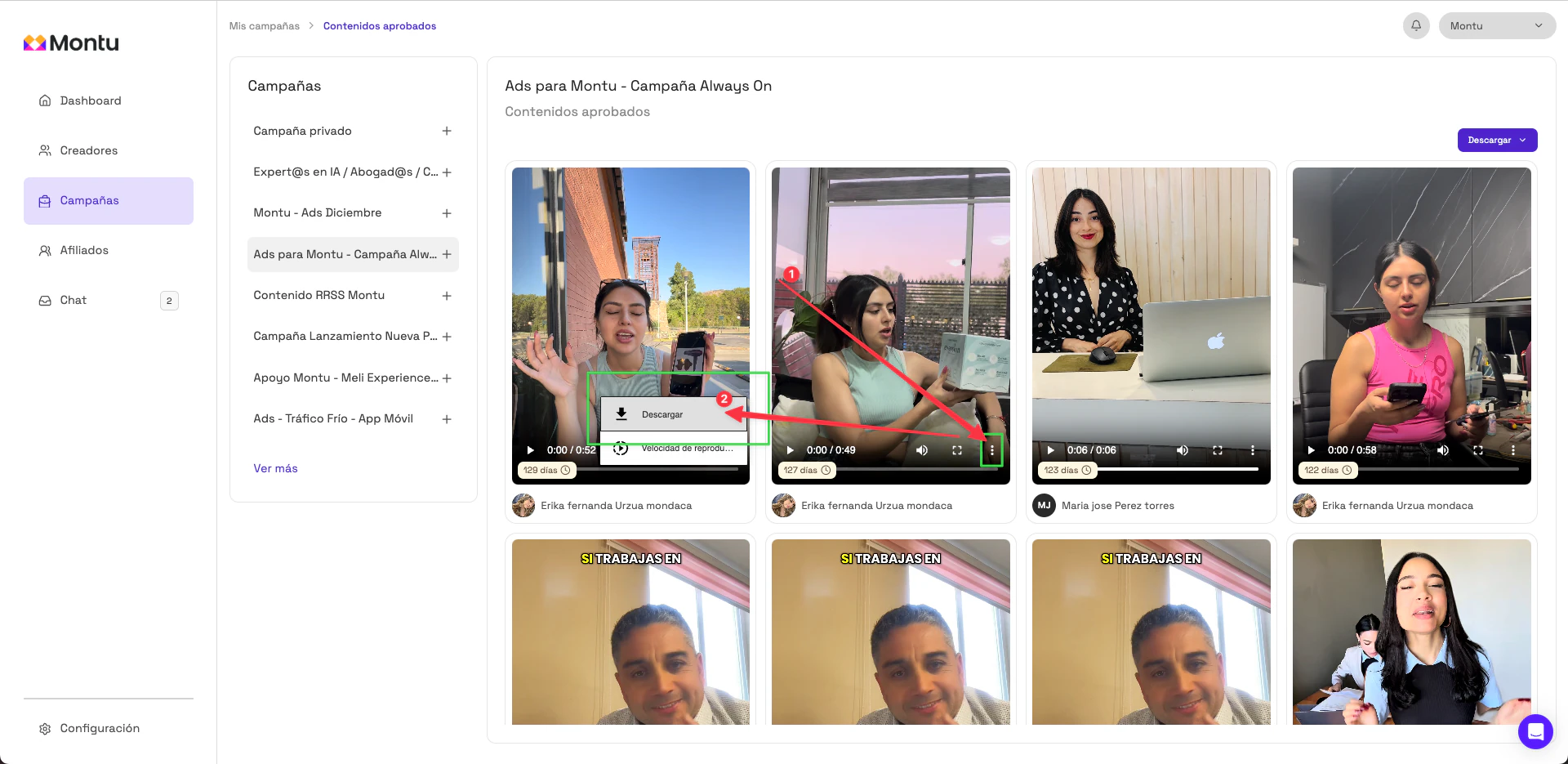
- Click the three dots (⋯) in the corner of the video preview.
- Press Download ("Descargar").
🎥 What quality are videos downloaded in?
Content is downloaded in the highest quality provided by the content creator when they uploaded the file. Montu doesn't apply any additional compression.