
📅 When can you change the delivery date?
You can change the content delivery date at any stage of the pipeline from "Barter Shipping" ("Envío de Canje") onward.
This includes the stages where the creator is already producing content or is about to deliver it.
✏️ How do you edit the date?
-
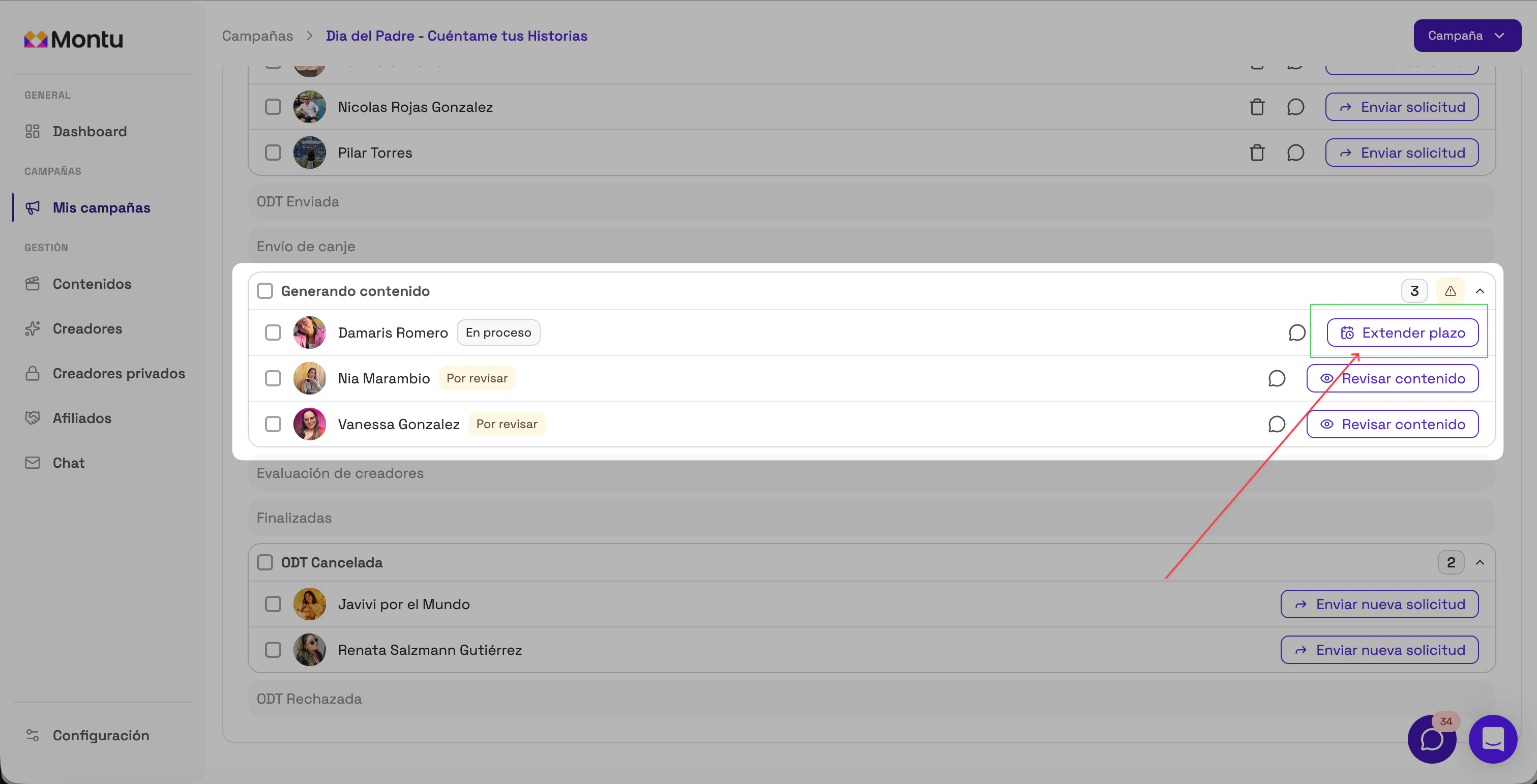
Go to the Campaigns ("Campañas") section and open the details of the campaign.
-
Find the creator whose date you want to change.
-
Select Extend Deadline ("Extender Plazo").
✅ You can select one or several creators at once.
-
A modal will open with editable fields for each piece of content that creator must deliver.
-
Adjust the new dates as needed.
-
Click Save changes ("Guardar cambios") to confirm.
🟢 The changes are saved automatically and the creator is notified through the app.
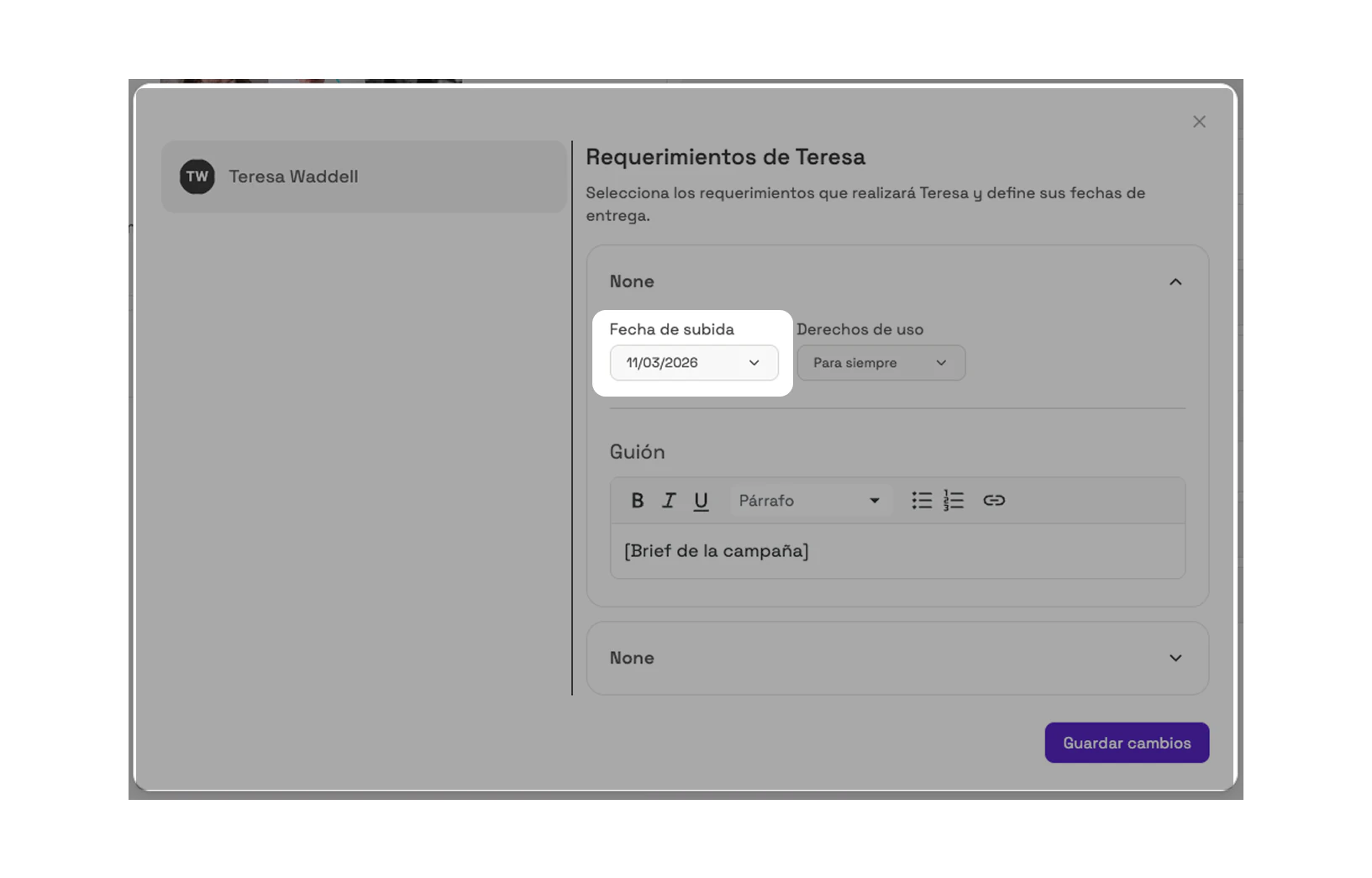
🔔 Important note: You can only edit delivery dates and usage rights. If you need to change other parts of the Work Order (such as the content or the barter), you'll need to cancel the current ODT and create a new one.