
Notifications
In Montu you can customize which types of email notifications you receive, based on your preferences and the kind of information you find relevant to your operation.
This keeps you in control of what happens in your account without getting unnecessary emails.
🧭 Where do I set up notifications?
- Click the Settings ("Configuración") button in the left sidebar (bottom of the screen).
- Then select the Notifications ("Notificaciones") section.
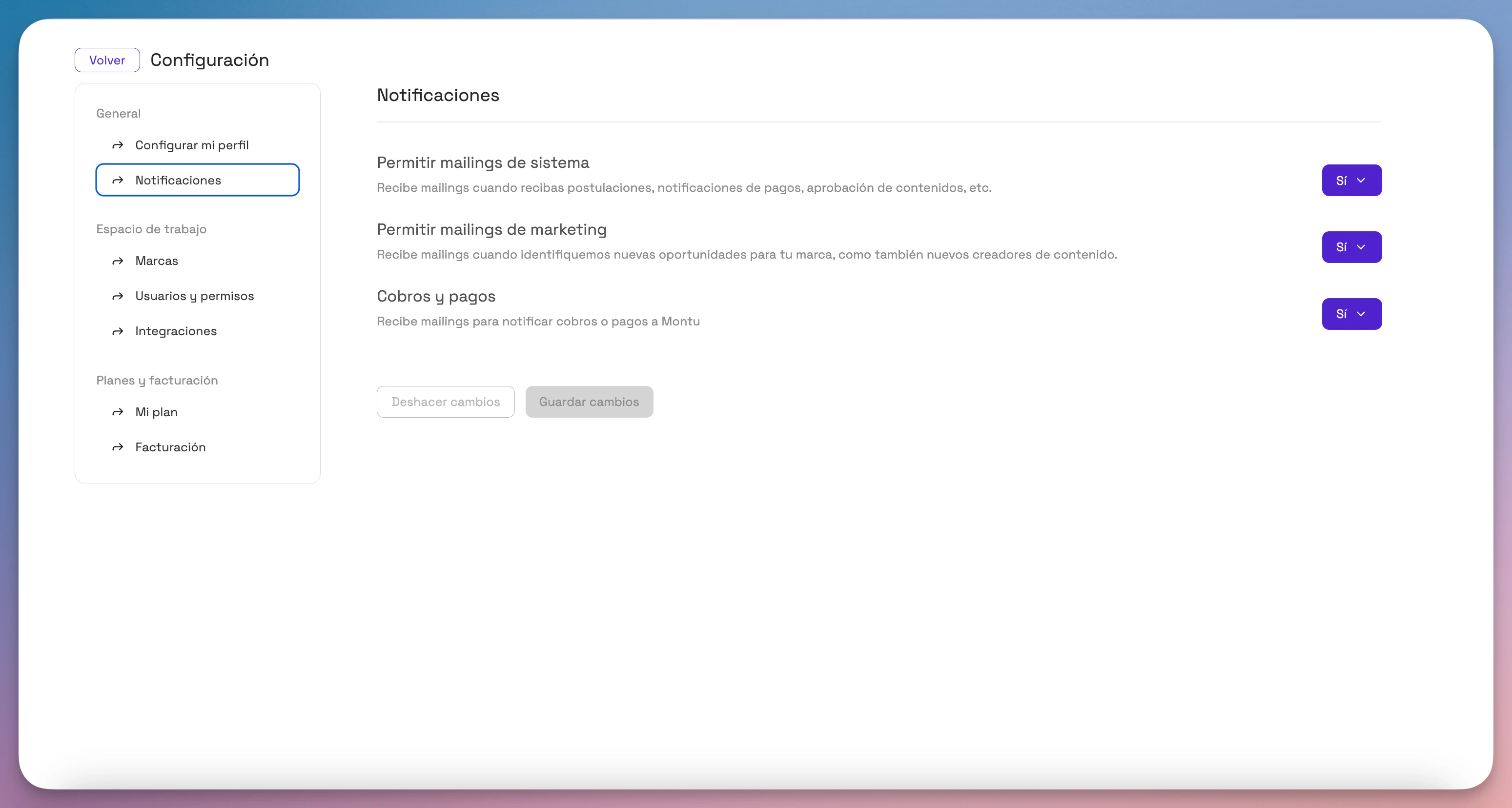
✉️ Types of notifications you can turn on or off
Allow system emails
Get automatic emails when important events happen, such as:
- New applications to your campaigns
- Content approvals or rejections
- Payment confirmations
- Status changes in your Work Orders (ODTs)
Recommended: Keep this on to follow your campaigns' progress without constantly logging in to the platform.
Allow marketing emails
Get emails when we spot relevant opportunities for your brand, such as:
- New creators you might be interested in
- Feature updates
- Personalized recommendations based on your activity
Recommended: Turn this on if you want to stay up to date with improvements or strategic suggestions.
Charge and payment emails
Get notified every time a charge or payment is made from your account, whether for:
- A plan renewal
- Payment of a Work Order or commissions
Recommended: Keep this on for accounting or financial control purposes.
💾 Don't forget to save your changes
Once you've set your preferences, click Save changes ("Guardar cambios") so your settings are applied correctly.