
💼 What types of payments are there in Montu?
Montu has two main types of payments:
1. Montu fee (subscription plan)
This is the plan that gives you access to the platform's features.
You can sign up for it on a:
- Monthly basis
- Quarterly basis
- Annual basis
🔄 Payment method:
Paid by credit or debit card through MercadoPago.
🧾 Invoice:
Issued at the time of payment and available in:
Settings → Billing ("Configuración → Facturación")
2. Work Orders and Affiliate Programs
These payments are related to the campaigns you create in Montu or the programs you launch with creators.
🔄 Available payment methods:
- MercadoPago (credit/debit card)
- Montu Wallet ("Billetera Montu") (prepaid credits)
- Consolidated invoice at the end of the month (Enterprise plans only)
🧾 Invoice:
Issued once the order is officially closed, and also available in:
Settings → Billing
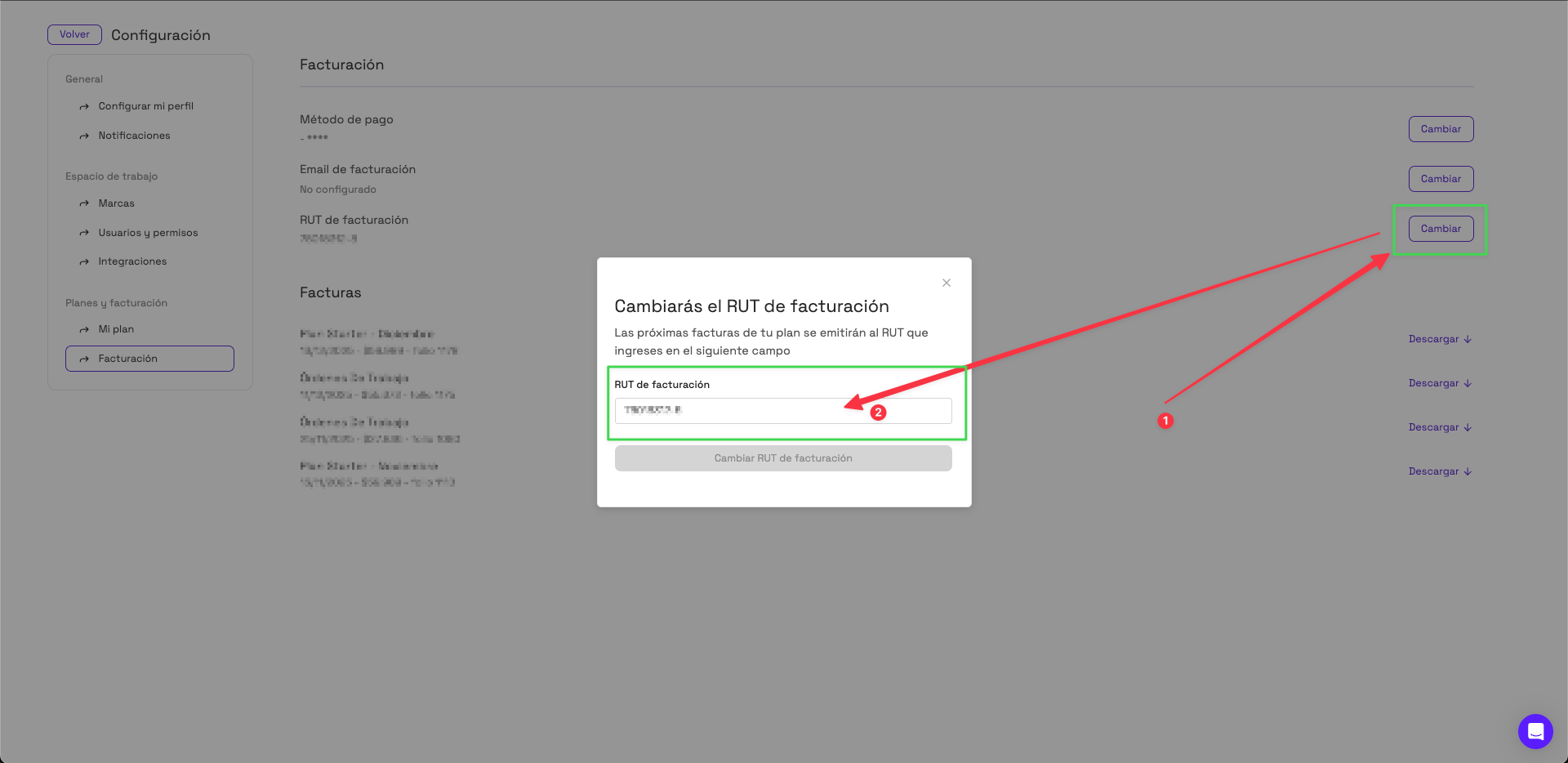
🧾 Where can I see and change my billing details?
- Go to Settings → Billing.
- Make sure you've filled in your:
- Billing RUT (your company's tax ID)
- Billing email
- Main payment method
- If you need to make a change, click Change ("Cambiar").
- A modal opens where you can edit your details. Click Confirm ("Confirmar") to save the changes.
💡 Tip: Always check that your details are up to date to avoid errors when invoices are issued or payments being declined.