
Start conversations with creators from applications, their profile or when you send an ODT. Learn how and where to do it.
There are several ways to start a conversation with a creator on the Montu platform. Every time you interact with a creator (through applications, pre-selecting or sending an ODT), a chat channel is automatically activated so you can communicate directly.
🧭 Where can I start a chat?
There are three ways to start a conversation:
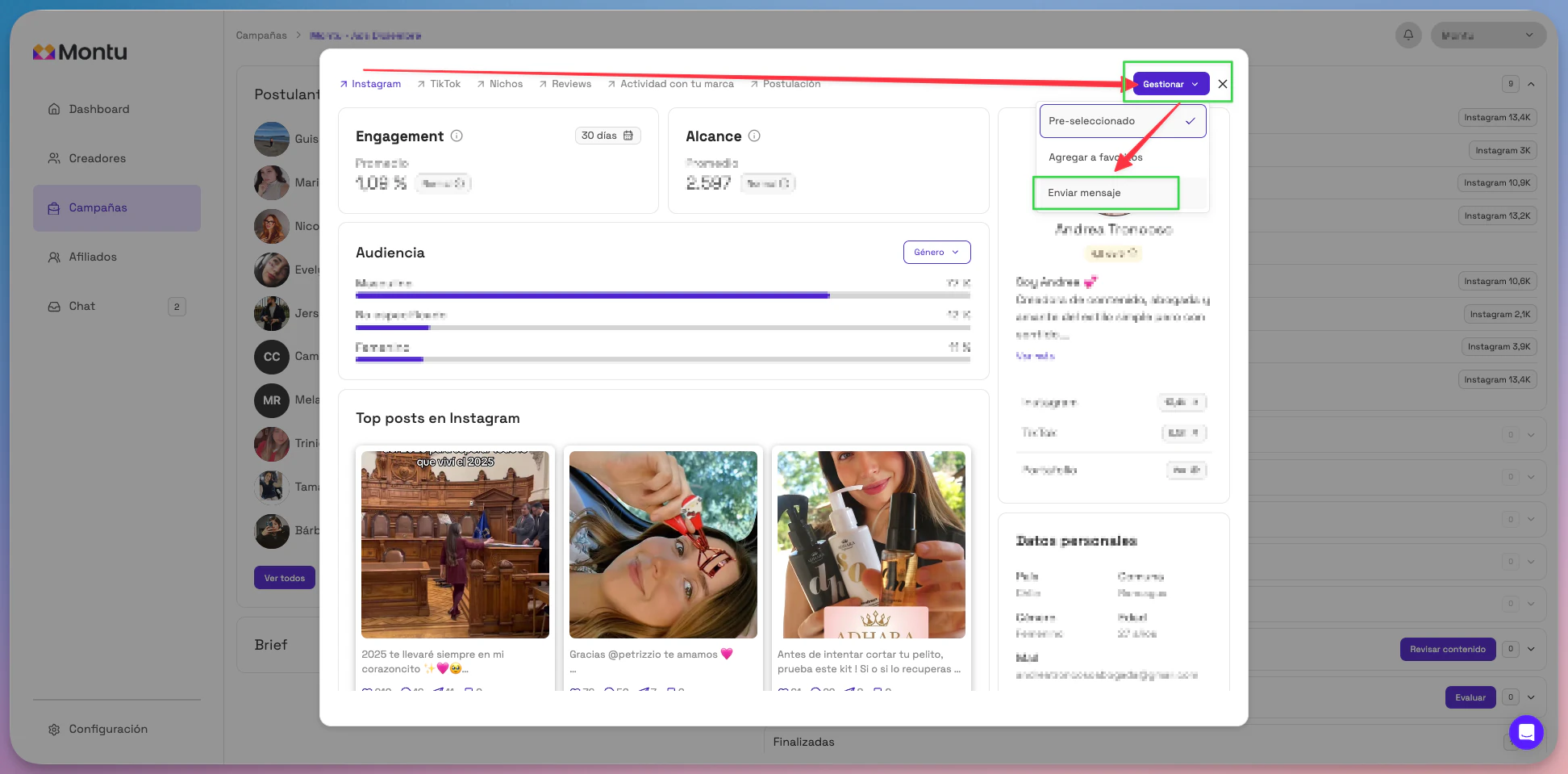
1. From the campaign Pipeline
When you review applications or a campaign's pre-selection list, click the name of the creator you're interested in. Once you're on their profile, click the Manage ("Gestionar") button and then select Send message ("Enviar mensaje").
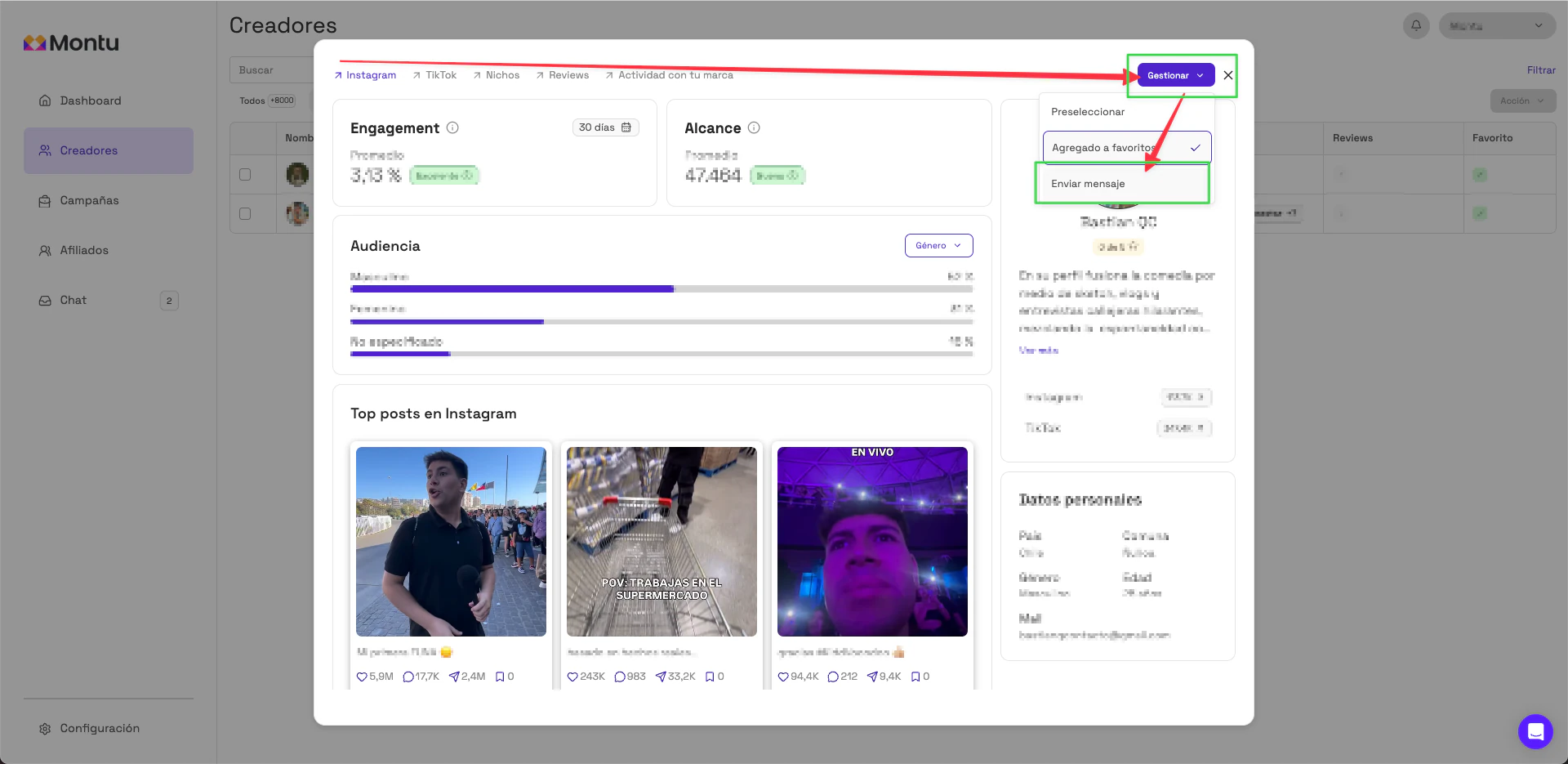
2. From the Creators ("Creadores") section
You can also start a chat directly from any creator's profile in the general database. Just open their profile and follow the same steps: Manage → Send message ("Enviar Mensaje").
3. Automatically with the Work Order
Every time you send a Work Order (ODT) to a creator, a chat between your team and that creator is created automatically. You can access the conversation history from the Chat section in the sidebar.
🧠 Important
- Montu doesn't moderate or take part in these conversations.
- All messages are recorded in the system.
- The creator will see the name of the user who sent the message and your brand's name.