
Manually pre-select a creator for an existing campaign
Manually add creators to existing campaigns without them applying. Learn how to pre-select them from their profile or from the creator list.
💡 This feature is designed for brands that work with creators at an advanced level or run campaigns with larger budgets.
If you're just getting started, we recommend using the standard campaign flow first, where creators apply and you choose from the Pipeline. See how the campaign Pipeline works
Manual pre-selection lets you add a creator directly to an existing campaign without them having to apply. This can be useful when you already know the creator or found them while browsing the Creators ("Creadores") section.
You can do it in two ways:
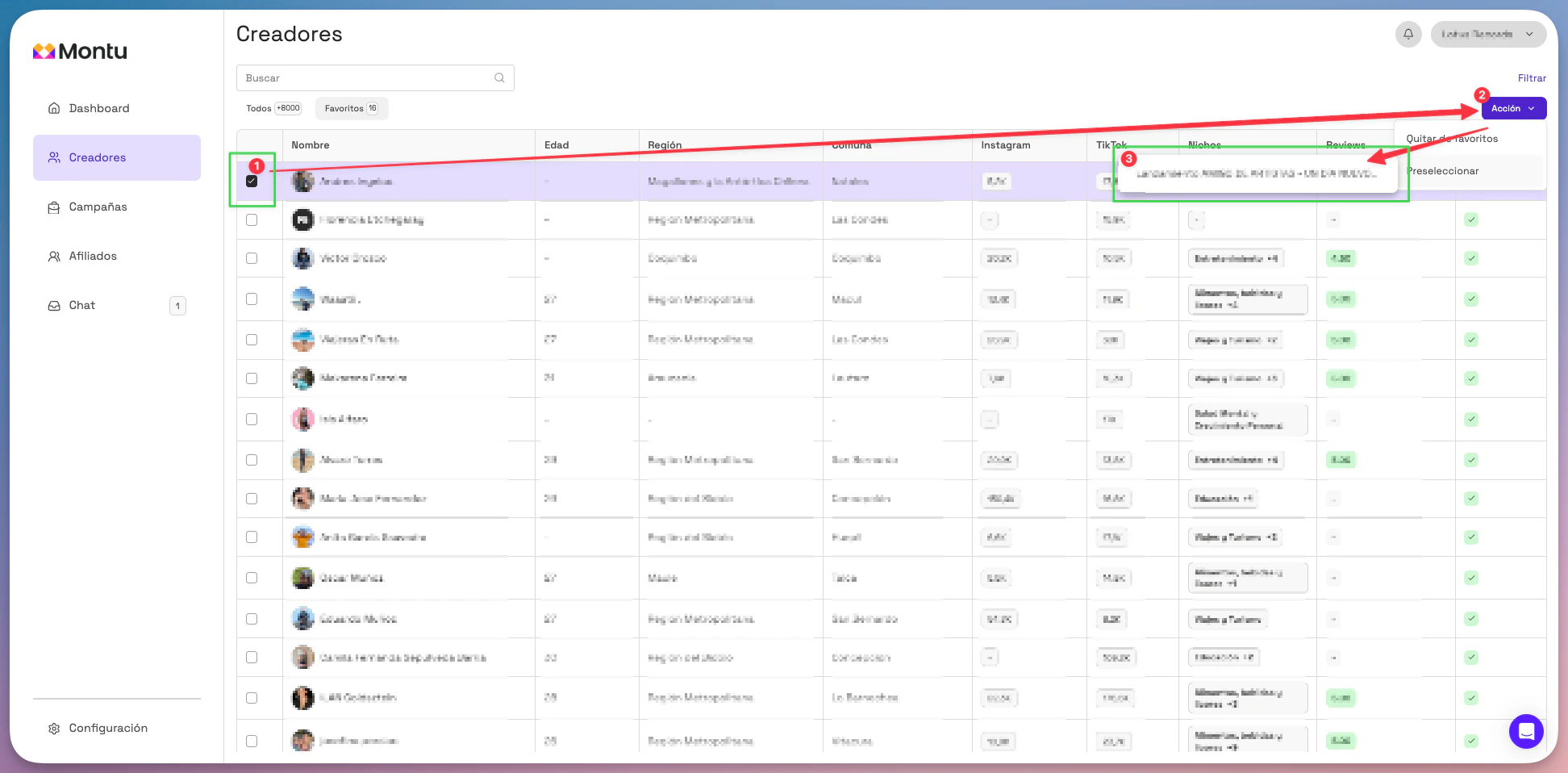
1. From the general creator list
- Go to the Creators section from the main menu.
- Check the checkbox next to the creator you want to pre-select.
- Click the Action ("Acción") button and select Pre-select ("Preseleccionar").
- Choose the campaign you want to add the creator to.
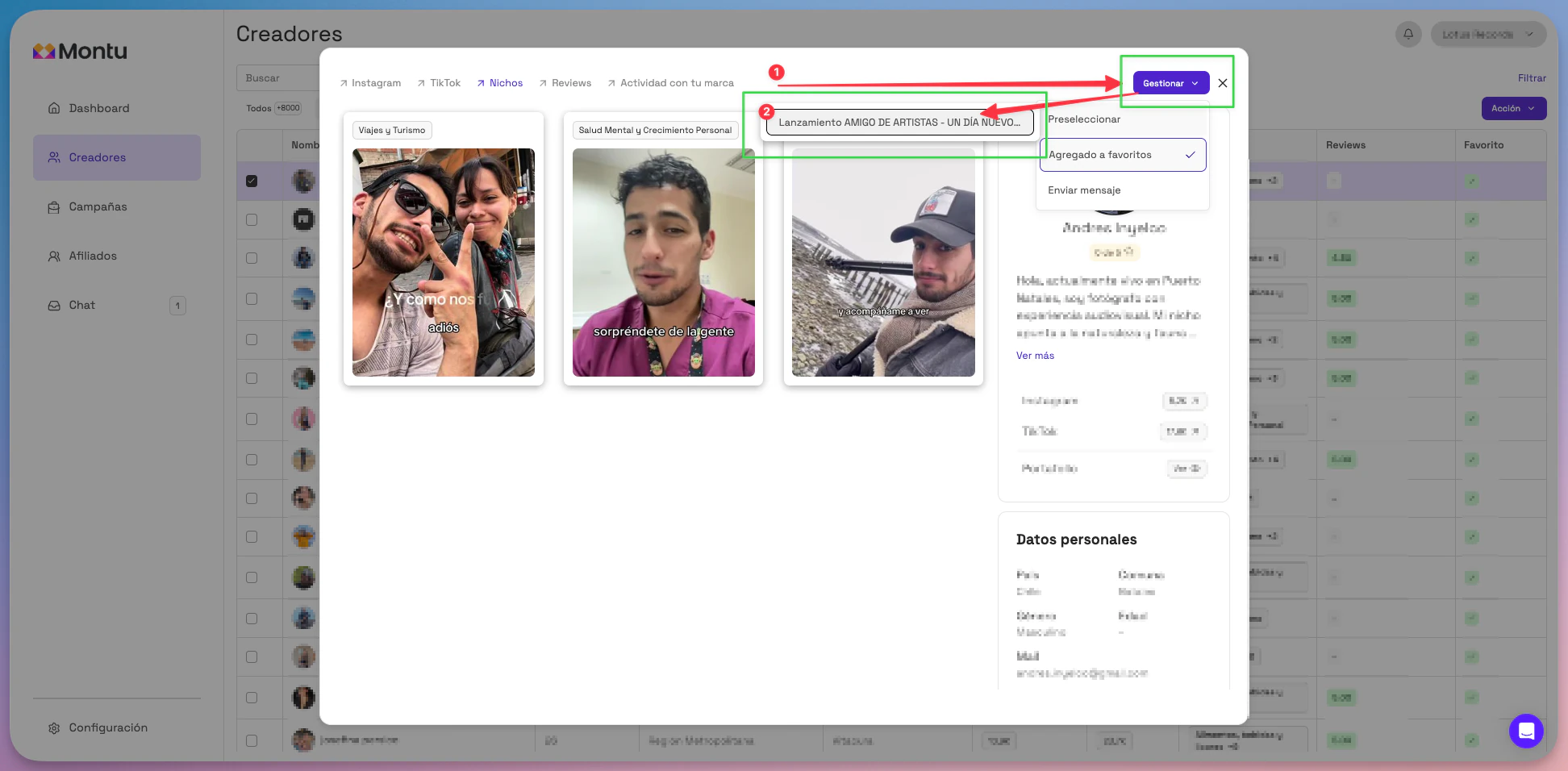
2. From the creator's profile
- Click the creator's name to open their profile.
- Click the Manage ("Gestionar") button.
- Select Pre-select.
- Choose the campaign you want to add them to.
What happens next?
- The creator isn't notified that they were pre-selected.
- They'll appear in the Pre-selection ("Preselección") column of that campaign's Pipeline.
- From there, you can send them a Work Order whenever you want to formalize the collaboration. See how to send an ODT